
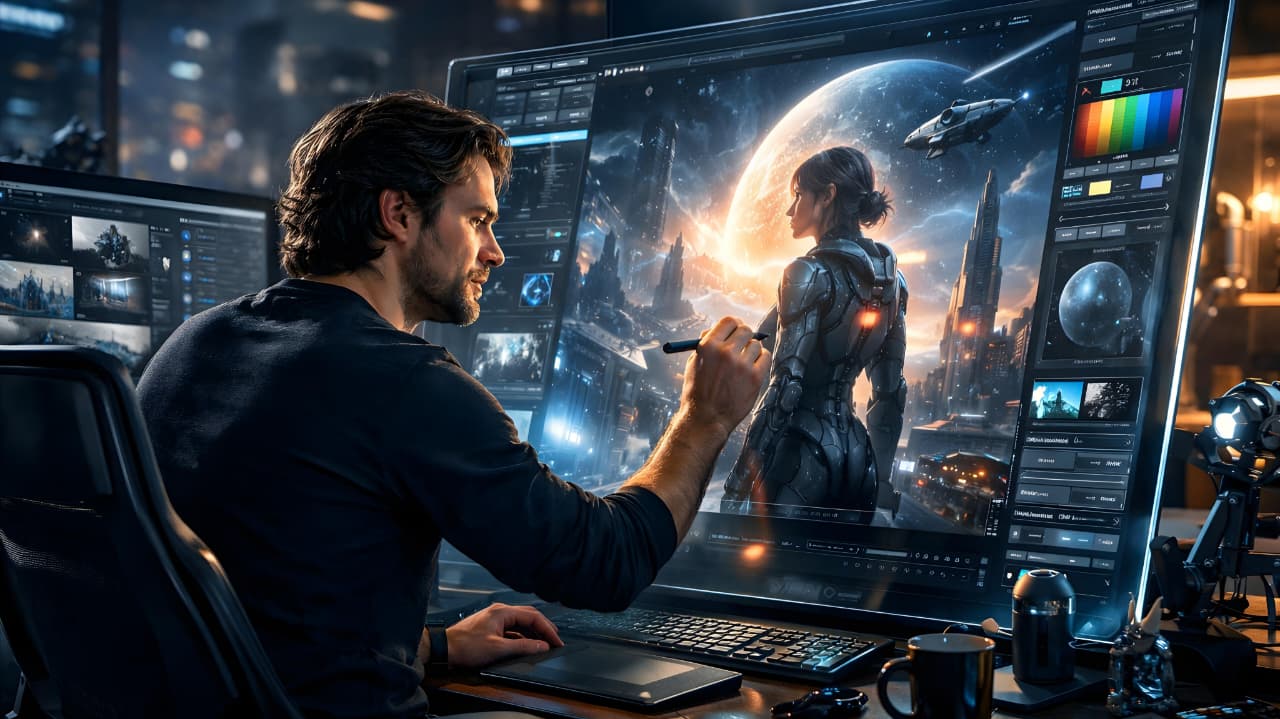
Midjourney AI for Beginners: A Complete Step-by-Step Guide
Introduction
Artificial intelligence has completely transformed digital creativity. One of the most powerful tools leading this change is Midjourney. If you are exploring AI art for the first time, this guide on Midjourney AI for beginners will walk you through everything you need to know — from setting up your account to generating professional-quality images.
Unlike traditional design software that requires technical skills, Midjourney allows anyone to create detailed, cinematic visuals using simple text prompts. Whether you are a content creator, blogger, marketer, or entrepreneur, understanding how Midjourney works can open up new creative opportunities.
Let’s dive into this complete beginner-friendly guide.
What is Midjourney AI?
Midjourney is an advanced AI image generator that transforms text descriptions into high-quality visuals. Instead of manually drawing or designing, users type a description (called a prompt), and the AI generates multiple artistic interpretations of that idea.
For example, if you type:
“Ultra realistic mountain landscape at sunrise, cinematic lighting, 8K resolution”
Midjourney processes the text and produces detailed images that match your description.
You can learn more about the platform directly from the official website:
https://www.midjourney.com/
Midjourney is particularly known for:
Hyper-realistic image quality
Cinematic lighting effects
Artistic and fantasy styles
Highly detailed textures
For beginners, this means you don’t need prior design experience to create impressive visuals.
While Midjourney focuses on image generation, AI tools like ChatGPT specialize in text creation and content assistance.
How Midjourney AI Works
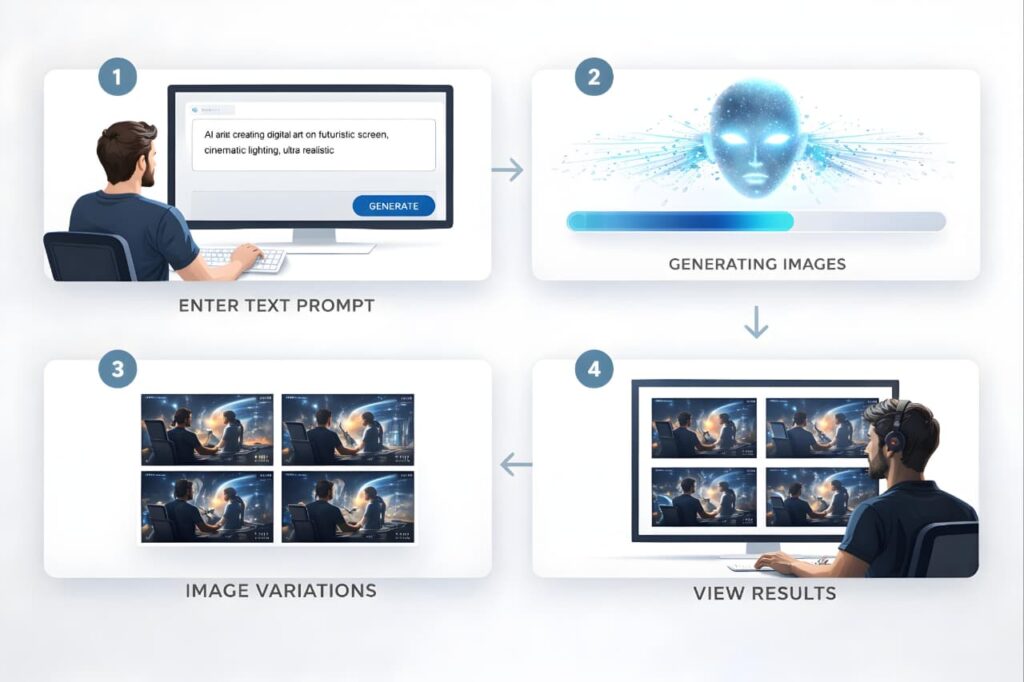
Understanding how Midjourney AI for beginners works is simple.
You write a prompt describing the image.
The AI interprets your text.
It generates four image variations.
You can upscale or create new variations.
Download the final image.
The system operates primarily through Discord, where users enter the /imagine command followed by their prompt. While it may feel unusual at first, most beginners adapt quickly after a few attempts.
How to Start Using Midjourney
Step 1: Create a Discord Account
Midjourney works inside Discord. If you do not already have an account, sign up for free.
Step 2: Join the Midjourney Server
Visit the official website and join their Discord server.
Step 3: Use the /imagine Command
In a designated channel, type:/imagine prompt: futuristic city skyline at night, neon lights, ultra realistic
Step 4: Choose and Upscale
After generation, select the version you like and upscale it for higher resolution.
For beginners, practice is key. The more prompts you test, the better your results will become.
Writing Better Prompts (Essential for Beginners)
The quality of your image depends heavily on your prompt.
Here are proven techniques for Midjourney AI for beginners:
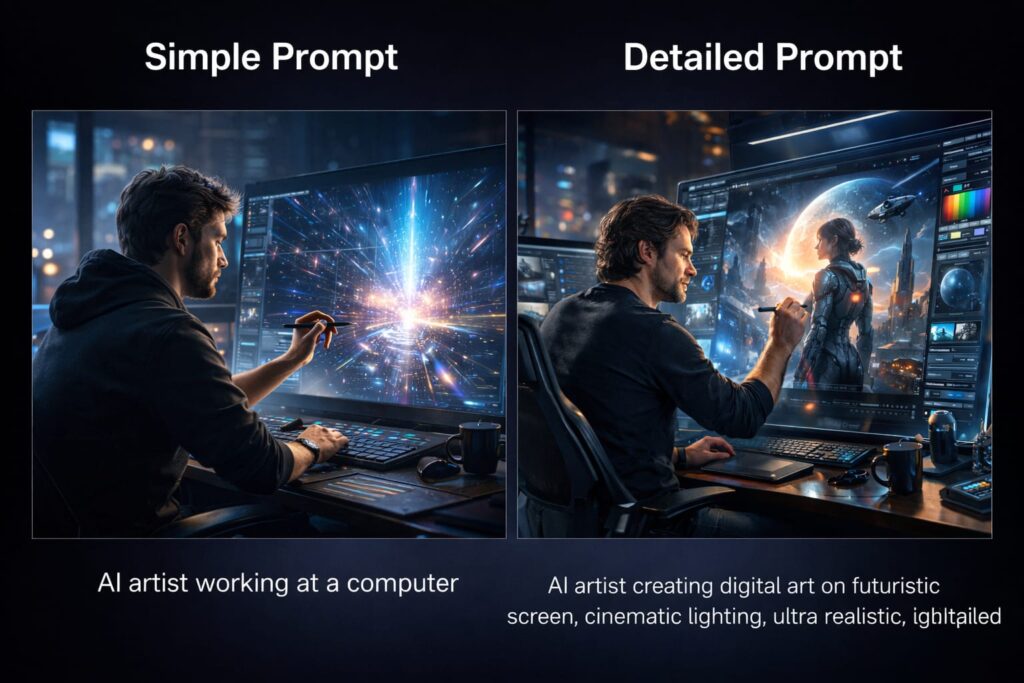
1. Be Specific
Instead of:
“Dog in park”
Try:
“Golden retriever running in a green park during sunset, natural lighting, shallow depth of field, 85mm lens”
2. Add Style Keywords
Include words like:
Cinematic
Photorealistic
Minimalist
Watercolor
Digital painting
3D render
3. Mention Camera & Lighting
Photography terms improve realism:
Soft lighting
HDR
Studio lighting
Macro shot
Wide-angle lens
Better prompts = better results.
Key Features of Midjourney
Midjourney AI for beginners becomes easier when you understand its main features.

Image Variations
You receive multiple versions of the same prompt, allowing creative flexibility.
Upscaling
Enhance resolution and detail in one click.
Style Control
Adjust artistic tone and realism levels.
Fast Processing
Images generate within seconds.
These features make Midjourney highly efficient for creators.
Who Should Use Midjourney?
Midjourney is ideal for:
Bloggers needing featured images
YouTubers creating thumbnails
Social media marketers
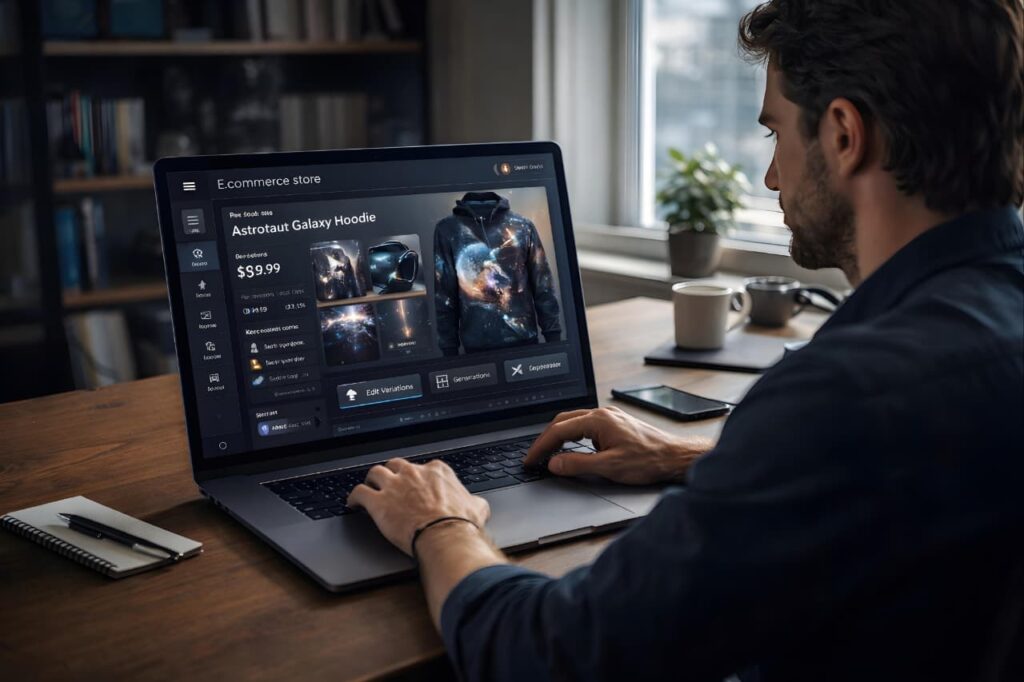
E-commerce store owners
Freelance designers
Print-on-demand sellers
Even if you are just experimenting with digital creativity, Midjourney AI for beginners provides a simple entry point.
Commercial Use and Licensing
One of the most common questions beginners ask is whether images can be used commercially.
Yes, paid subscribers can use their generated images for commercial purposes. This includes:
Selling designs
Using images in ads
Publishing on websites
Monetized YouTube thumbnails
Always review the latest licensing terms on the official site before commercial use.
Pros and Cons of Midjourney
Pros
Exceptional image quality
Creative flexibility
No design skills required
Fast output
Suitable for business use
Cons
Requires a paid subscription
Runs through Discord
Learning curve for prompt writing
For most beginners, the advantages significantly outweigh the limitations.
Tips to Get Professional Results
If you want to move beyond beginner-level results, apply these strategies:
Combine Descriptive Layers
Add environment + lighting + mood + style.
Example:
“Luxury perfume bottle on marble surface, soft studio lighting, minimal background, photorealistic, high detail”
Use Aspect Ratios
Specify image proportions:--ar 16:9 for YouTube thumbnails--ar 1:1 for Instagram posts
Refine Gradually
Start simple, then improve prompts step by step.
Consistent experimentation leads to better mastery.
Common Mistakes Beginners Make
When learning Midjourney AI for beginners, avoid these errors:
Using very short prompts
Forgetting lighting details
Expecting perfection on first try
Ignoring variations
Not refining prompts
Midjourney rewards patience and creativity.
How Midjourney Helps in Online Business
Many entrepreneurs use Midjourney to reduce design costs.
You can:
Create blog graphics
Design product mockups
Generate digital downloads
Build brand visuals
Produce Pinterest pins
Instead of hiring designers for every task, beginners can generate visuals independently.
SEO Tip for Bloggers Using Midjourney Images
If you are using Midjourney images on your blog:
Add proper alt text
Compress images for speed
Use descriptive filenames
Maintain originality
Avoid spammy prompt repetition
Optimized images improve search visibility and user experience.
Is Midjourney Worth It for Beginners?
If you value creativity, efficiency, and professional-quality visuals, Midjourney is absolutely worth exploring.
It eliminates technical barriers and empowers anyone to turn imagination into digital art. With practice, even beginners can produce images that look like they were created by experienced designers.
The key is learning prompt structure and experimenting consistently.
FAQ
What is Midjourney AI used for?
Midjourney AI is used to generate high-quality images from text prompts for blogs, marketing, design, and commercial projects.
Is Midjourney beginner-friendly?
Yes. While prompt writing takes practice, beginners can quickly learn the basics and create professional visuals.
Do I need graphic design skills?
No. Midjourney is built for users without traditional design experience.
Can I sell images created with Midjourney?
Paid subscribers can use images commercially, subject to platform terms.
How can beginners improve image quality?
Use detailed prompts, include lighting descriptions, and refine results using variations.
Conclusion
Midjourney AI for beginners opens the door to a new era of digital creativity. You do not need expensive software or advanced design training. With clear prompts and a little experimentation, you can generate stunning, professional-grade visuals in minutes.
Whether your goal is blogging, business branding, social media growth, or creative exploration, Midjourney provides a powerful platform to bring your ideas to life.
The only real requirement is imagination-everything else, the AI handles.