How to Protect Your Google Account: A Complete Security Guide
Your Google Account is more than just an email login. It often contains your Gmail messages, photos, contacts, documents, passwords, payment information, and access to multiple online services. Because of this, protecting your Google Account should be a top priority.
Cybercriminals constantly look for opportunities to steal passwords, launch phishing attacks, and gain unauthorized access to user accounts. Fortunately, Google provides several built-in security features that can significantly reduce these risks when used correctly.
In this guide, you’ll learn the most effective ways to protect your Google Account using Google’s official security recommendations and best practices.
Learning how to protect your Google Account is one of the most important steps you can take to safeguard your personal information and online identity.
Why Google Account Security Matters
A compromised Google Account can expose sensitive personal information and provide access to connected services such as Gmail, Google Drive, Google Photos, YouTube, and more.
Since many users rely on their Google Account as the primary account for online activities, securing it helps protect both personal and professional data.
Google recommends regularly reviewing your account security settings and enabling additional protection features whenever possible.
Taking proactive measures to protect your Google Account can help prevent unauthorized access, phishing attacks, and data theft.
1. Enable 2-Step Verification
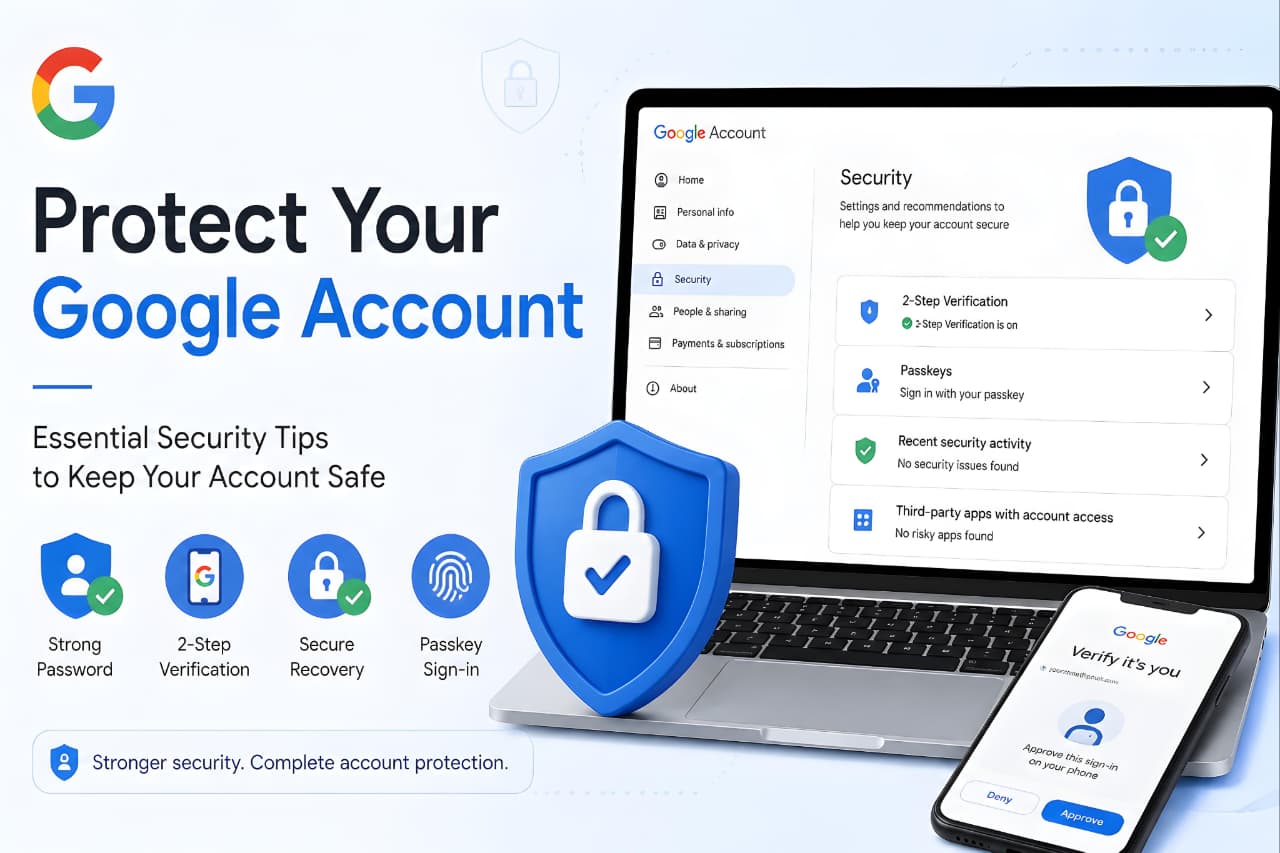
One of the most important steps to protect your Google Account is enabling 2-Step Verification (2SV).
With 2-Step Verification, signing in requires not only your password but also a second verification step. Even if someone discovers your password, they cannot easily access your account without the additional verification method.
Google supports several verification methods, including:
- Google Prompts
- Passkeys
- Authenticator Apps
- Security Keys
- Backup Codes
Google specifically recommends stronger verification methods such as Google Prompts and security keys over SMS-based verification when possible.
Official Resource:
Google 2-Step Verification
2. Use Passkeys for Stronger Protection
Passkeys are becoming the preferred alternative to traditional passwords.
Instead of typing a password, passkeys allow you to sign in using:
- Fingerprint authentication
- Face recognition
- Device PIN
- Screen lock verification
Because passkeys rely on cryptographic technology and are stored securely on your devices, they are resistant to phishing attacks and credential theft. Google considers passkeys one of the safest ways to access an account.
Understanding modern authentication technologies becomes easier when you learn about Latest Google Updates Explained.
3. Run Google's Security Checkup Regularly
Google provides a Security Checkup tool that helps users identify and fix potential security issues.
Security Checkup allows you to:
- Review recent security activity
- Check signed-in devices
- Verify recovery information
- Review third-party app access
- Strengthen account protection settings
Running a Security Checkup every few months helps ensure that your account remains secure.
Official Resource:
Google Security Checkup
4. Create a Strong and Unique Password
Many account breaches occur because users reuse passwords across multiple websites.
Google recommends using:
- Long passwords
- Unique passwords for every account
- A password manager for storage
- Password monitoring tools
Avoid using:
- Birth dates
- Names
- Common words
- Reused passwords
A unique password ensures that a breach on another website cannot easily compromise your Google Account.
5. Keep Recovery Information Updated
Recovery information serves as a backup if you lose access to your account.
Make sure your:
- Recovery phone number is current
- Recovery email address is active
- Backup contact information is accurate
Updated recovery options help Google verify your identity and assist with account recovery when needed.
If you are creating a new account, read our guide on How to Create a Google Account.
6. Review Third-Party App Access
Many users grant account access to apps and services they no longer use.
Over time, unnecessary permissions can increase security risks.
Regularly review:
- Connected apps
- Linked websites
- Browser extensions
- Third-party sign-ins
Remove access for applications you no longer trust or use. Google recommends minimizing unnecessary access to your account data.
Users should also understand How to Protect Your Personal Data Online before granting access to third-party applications.
7. Watch Out for Phishing Attacks
Phishing remains one of the most common ways attackers steal Google Account credentials.
Be cautious when:
- Opening unexpected emails
- Clicking unknown links
- Downloading suspicious attachments
- Responding to urgent security messages
Remember:
Google will never ask for your password through email, text message, or phone call.
Before entering your credentials, always verify that you’re on a legitimate Google page.
8. Keep Your Devices and Software Updated
Security vulnerabilities are frequently discovered and patched by software developers.
To stay protected:
- Update your operating system
- Update Google Chrome
- Update mobile applications
- Enable automatic updates when possible
Running outdated software can leave your account vulnerable to known security threats.
9. Secure Your Devices with Screen Locks
Account security is closely tied to device security.
Google recommends enabling:
- PIN protection
- Fingerprint authentication
- Face unlock
- Device screen locks
If a device is lost or stolen, a screen lock adds an important layer of protection against unauthorized access.
10. Monitor Security Alerts
Google continuously monitors accounts for suspicious activity.
Pay attention to alerts about:
- New sign-ins
- Unknown devices
- Password changes
- Security setting updates
If you receive an alert you do not recognize, take immediate action by reviewing recent account activity and changing your password if necessary.
If you’ve recently received a suspicious activity warning from Google, you may also want to understand what these alerts mean and the steps you should take to secure your account immediately. Read our guide on Google Critical Security Alert: Why You’re Seeing “Suspicious Activity in Your Account” and What to Do Next.
Common Mistakes That Put Google Accounts at Risk
Many users unknowingly increase security risks by reusing passwords, ignoring security alerts, granting excessive app permissions, and failing to enable Two-Step Verification. Avoiding these common mistakes can significantly improve account protection and reduce the likelihood of unauthorized access.
Best Practices to Protect Your Google Account
For maximum protection, follow this checklist:
✅ Enable 2-Step Verification
✅ Use Passkeys whenever available
✅ Create strong and unique passwords
✅ Run Security Checkup regularly
✅ Update recovery information
✅ Remove unused app access
✅ Stay alert to phishing attempts
✅ Keep devices updated
✅ Use screen locks
✅ Review security alerts promptly
Conclusion
By following the recommendations in this guide, you can protect your Google Account and significantly reduce potential security risks.
Protecting your Google Account does not require advanced technical knowledge. By enabling 2-Step Verification, using passkeys, maintaining strong passwords, updating recovery information, and regularly reviewing security settings, you can dramatically reduce the risk of unauthorized access.
Google continues to provide powerful security tools that help users stay protected against evolving cyber threats. Taking advantage of these features today can help prevent serious security issues in the future.
Modern Google security systems increasingly rely on AI technologies discussed in Google Gemini vs ChatGPT.
Frequently Asked Questions (FAQ)
How can I make my Google Account more secure?
Enable 2-Step Verification, use a strong unique password, update recovery information, and run Google’s Security Checkup regularly.
Is 2-Step Verification necessary for a Google Account?
Yes. It adds an extra layer of protection and helps prevent unauthorized access even if your password is compromised.
Are passkeys safer than passwords?
Yes. Passkeys are designed to resist phishing attacks and eliminate many of the risks associated with traditional passwords.
How often should I run a Security Checkup?
Google recommends reviewing your account security regularly, especially after security alerts or changes to your devices and accounts.
What should I do if I suspect my Google Account has been hacked?
Immediately change your password, review recent activity, revoke suspicious app access, and complete Google’s Security Checkup.
How do I protect my Google Account from hackers?
To protect your Google Account from hackers, enable 2-Step Verification, use a strong password, set up passkeys, review security alerts, and run Google’s Security Checkup regularly.