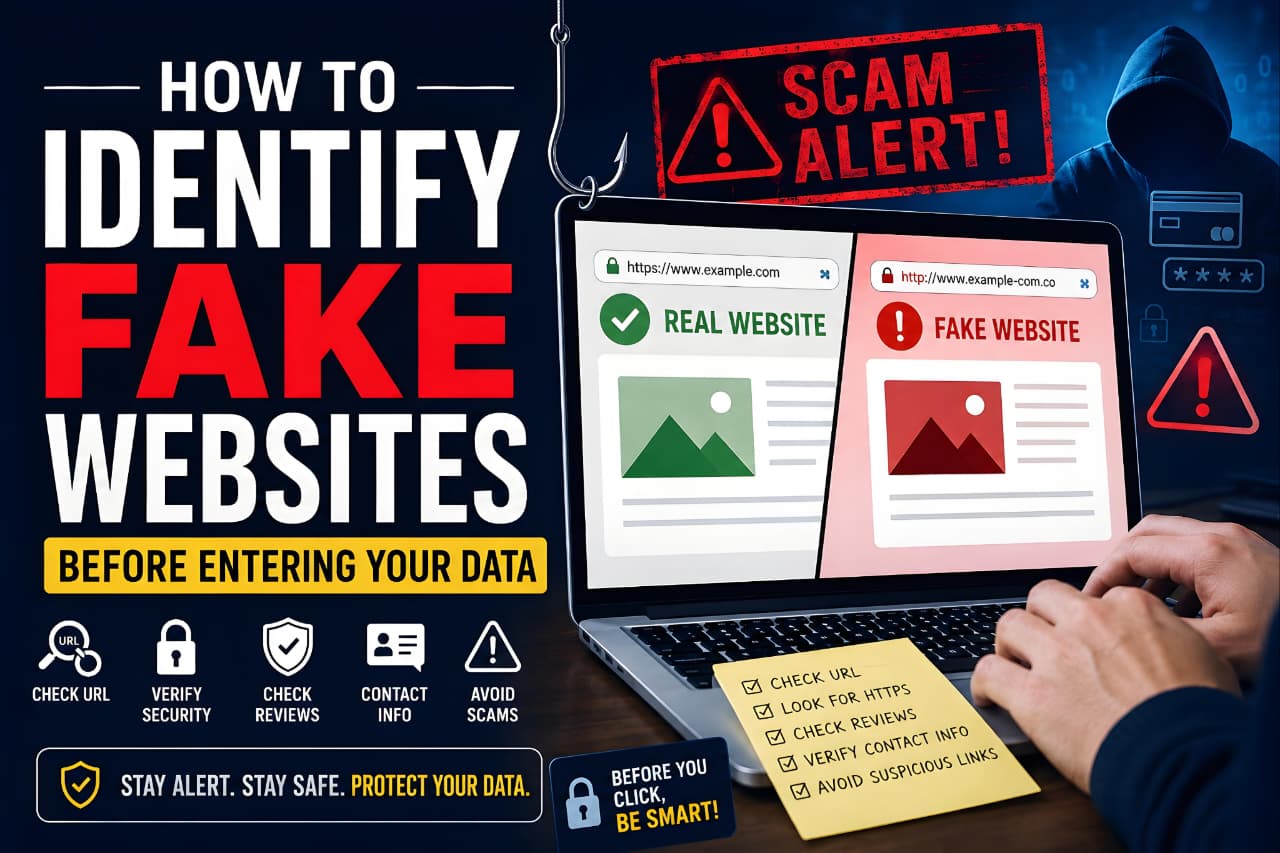
Every day, millions of people use the internet to shop, bank, communicate, and manage important accounts. While the internet offers incredible convenience, it also creates opportunities for cybercriminals to target unsuspecting users through fake websites.
A fake website is designed to look like a legitimate website while secretly attempting to steal personal information, login credentials, banking details, or payment information. These fraudulent websites often imitate trusted brands, banks, government portals, social media platforms, and popular online services. In many cases, the fake site looks almost identical to the real one, making it difficult for users to spot the difference.
Cybercriminals have become increasingly sophisticated in how they create and promote fake websites. Some use phishing emails, fake advertisements, social media messages, or search engine manipulation to lure victims. Others create cloned versions of well-known websites and wait for users to enter sensitive information.
The good news is that most fake websites leave clues behind. By learning how to identify fake websites before entering your data, you can significantly reduce the risk of identity theft, financial fraud, malware infections, and account compromise.
This guide explains the warning signs, verification methods, security tools, and best practices that can help you stay safe online.
Understanding how to identify fake websites is one of the most important cybersecurity skills for protecting your personal information, passwords, and financial data online.
What Is a Fake Website?
A fake website is a fraudulent website created to deceive visitors into believing they are interacting with a legitimate organization, business, or service.
The primary purpose of these websites is usually to:
- Steal usernames and passwords
- Collect banking information
- Capture credit card details
- Distribute malware
- Gather personal information
- Conduct financial scams
Some fake websites are obvious, while others are professionally designed and extremely convincing.
Learning how to identify fake websites becomes much easier when you understand the techniques scammers use to imitate legitimate websites and trusted brands.
Difference Between Real and Fake Websites
Understanding the difference between legitimate and fraudulent websites is the first step toward staying safe online.
A legitimate website typically:
- Uses an official domain name
- Provides accurate company information
- Displays clear contact details
- Offers secure payment options
- Maintains transparent privacy policies
- Has a verifiable online reputation
A fake website often:
- Uses a misleading domain name
- Copies content from legitimate sites
- Provides limited company information
- Pushes users to act urgently
- Requests unnecessary personal information
- Uses deceptive tactics to gain trust
The challenge is that some fraudulent websites closely mimic trusted brands, making careful verification essential.
Why Scammers Create Fake Websites
Fake websites are profitable for cybercriminals.
Instead of hacking systems directly, scammers often find it easier to trick people into voluntarily providing information.
Common goals include:
- Identity theft
- Banking fraud
- Credit card fraud
- Account takeover attacks
- Data harvesting
- Malware distribution
A single successful phishing website can collect information from hundreds or even thousands of victims before being detected and removed.
Why Fake Websites Are Dangerous
Many people underestimate the risks associated with fake websites. However, the consequences can be severe and long-lasting.
Identity Theft Risks
Identity theft occurs when criminals obtain enough personal information to impersonate someone else.
Information commonly targeted includes:
- Full name
- Date of birth
- Phone number
- Email address
- Home address
- Government-issued identification details
Once obtained, this information can be used to create fraudulent accounts, apply for financial services, or conduct scams in the victim’s name.
Protecting your personal information is one of the best ways to reduce the risk of identity theft. Understanding how data is collected, shared, and misused online can help you make safer decisions while browsing the internet.
Knowing how to identify fake websites can help prevent identity theft, financial fraud, malware infections, and unauthorized account access.
Financial Fraud Risks
Many fake websites are specifically designed to steal financial information.
Examples include:
- Credit card numbers
- Debit card information
- Online banking credentials
- Payment application accounts
- Digital wallet information
Financial fraud can result in unauthorized purchases, account theft, or significant monetary losses.
Many online scams target users who regularly use digital payment applications. Before linking bank accounts or sending money online, it is important to understand whether popular payment platforms offer adequate security and fraud protection.
Malware and Virus Threats
Not all fake websites aim to steal passwords directly.
Some attempt to infect visitors with:
- Malware
- Spyware
- Ransomware
- Keyloggers
- Browser hijackers
These malicious programs can monitor activity, steal information, slow devices, or lock important files until a ransom is paid.
Account Compromise
Cybercriminals often use fake login pages to capture account credentials.
Popular targets include:
- Email accounts
- Social media accounts
- Cloud storage accounts
- Business tools
- Online banking services
Once attackers gain access to an account, they may lock out the owner, steal information, or use the account to launch additional scams.
Email accounts are often the gateway to other online services. Following recommended practices for securing your Google account can help prevent unauthorized access and account takeover attempts.
Common Types of Fake Websites
Fake websites come in many forms. Understanding the most common categories can help you recognize threats more quickly.
Fake Banking Websites
Banking websites are among the most commonly impersonated targets.
Scammers create websites that resemble legitimate financial institutions and then attempt to collect:
- Online banking usernames
- Passwords
- One-time passwords (OTPs)
- Debit card information
- Account numbers
These websites often appear in phishing emails claiming:
- Suspicious account activity
- Security verification requests
- Account suspension warnings
- Transaction confirmation alerts
Because these messages create urgency, victims may enter information without carefully checking the website address.
Learning how to identify fake websites is especially important when dealing with banking portals because scammers frequently target financial accounts.
Fake Shopping Websites
Online shopping scams continue to grow because they are relatively easy to create.
Fake stores often advertise:
- Luxury products at extremely low prices
- Limited-time discounts
- Clearance sales
- Exclusive offers
Common warning signs include:
- Unrealistic discounts
- Poor product descriptions
- No company information
- Limited payment options
- No customer support
Many victims only realize the site was fraudulent after products never arrive.
Consumers who understand how to identify fake websites are less likely to fall victim to fraudulent online stores and fake product listings.
Fake Social Media Login Pages
Social media platforms are valuable targets because compromised accounts can be used to spread additional scams.
Attackers frequently create fake login pages that imitate:
- X
- WhatsApp Web
- Other popular platforms
Users are tricked into entering their usernames and passwords, which are immediately captured by the attacker.
Cybercriminals frequently create fake login pages that imitate popular social media platforms. Understanding the correct account creation and login process can help users recognize suspicious login screens.
Fake Government Websites
Government impersonation scams often target people seeking official services.
Examples include:
- Tax services
- Identification documents
- Benefit programs
- Immigration services
- License renewals
These websites may request:
- Personal identification details
- Payment information
- Supporting documents
Always verify government websites through official sources before submitting information.
Knowing how to identify fake websites can help users avoid scams that impersonate government services and official agencies.
Fake Tech Support Websites
Tech support scams remain surprisingly effective.
These websites often display alarming messages such as:
- Your device is infected.
- Immediate action required.
- Virus detected.
- Security warning.
Their goal is usually to convince users to:
- Call a fake support number
- Download malicious software
- Purchase unnecessary services
- Grant remote device access
Legitimate technology companies rarely display emergency warnings that demand immediate action through pop-ups.
Recognizing these common scam categories is an important part of learning how to identify fake websites before sharing sensitive information.
How Cybercriminals Create Fake Websites
Understanding how scammers create fraudulent websites makes it easier to recognize them.
Website Cloning
One of the most common methods is website cloning.
Cybercriminals copy:
- Logos
- Images
- Layouts
- Content
- Login forms
The resulting website may appear almost identical to the original.
A quick glance is often not enough to identify the difference.
Website cloning is one of the most common tactics used against people who do not know how to identify fake websites effectively.
Fake Domains
Attackers frequently register domains that closely resemble legitimate websites.
Examples include:
- Character substitutions
- Extra words
- Additional hyphens
- Alternative domain extensions
Small differences can easily go unnoticed by users who are in a hurry.
Checking domain names carefully is a critical step in learning how to identify fake websites before entering sensitive information.
Phishing Emails
Phishing emails remain one of the most effective ways to drive traffic to fake websites.
These emails often claim:
- Account verification required
- Password reset needed
- Payment issue detected
- Security concern identified
The email contains a link that directs victims to a fake website designed to steal information.
Social Media Scams
Social media platforms are also commonly used to distribute fraudulent links.
Scammers may use:
- Fake advertisements
- Direct messages
- Giveaway scams
- Influencer impersonation
- Comment spam
Because the links appear within familiar platforms, users may be less cautious when clicking them.
11 Warning Signs of a Fake Website
Recognizing warning signs is the most effective way to avoid becoming a victim of online scams. While no single indicator proves a website is fraudulent, multiple red flags together should raise immediate concerns.
1. Suspicious Website URL
The website address (URL) is often the first clue.
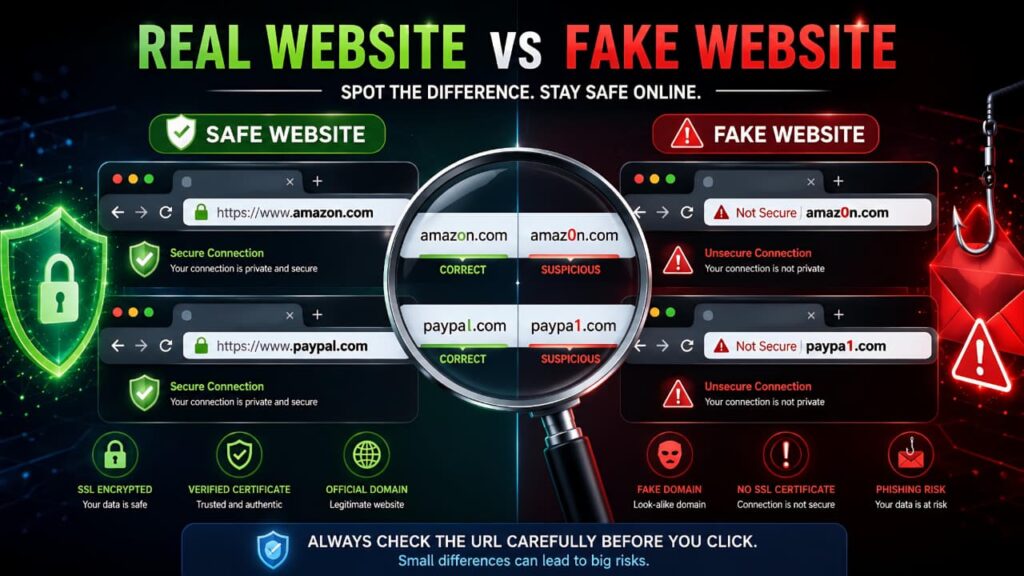
Cybercriminals frequently register domains that look similar to legitimate websites.
Examples:
Legitimate:
- amazon.com
- paypal.com
- instagram.com
Potentially Fake:
- amaz0n.com
- paypa1.com
- instagrarn.com
- amazon-login.net
- paypal-security.org
Look carefully for:
- Misspellings
- Extra words
- Additional hyphens
- Strange domain extensions
- Random characters
Many phishing attacks succeed because users do not carefully inspect the URL before entering their information.
2. HTTPS Does Not Automatically Mean Safe
Many users assume the padlock icon guarantees a website is trustworthy.
This is a common misconception.
HTTPS simply means the connection between your browser and the website is encrypted.
It does not guarantee:
- The company is legitimate
- The website is authentic
- The website is free from scams
Today, even phishing websites can obtain HTTPS certificates.
Always combine HTTPS verification with other checks.
3. Newly Registered Domain Names
Many scam websites have very short lifespans.
Criminals create them, collect information, and abandon them once detected.
If a website claims to represent a major organization but was registered only recently, that’s a warning sign.
One useful way to verify a website is by checking when the domain was registered. Newly registered domains are commonly used in phishing campaigns and online scams.
4. Poor Website Design and Quality
Legitimate organizations invest significant resources into their websites.
Warning signs include:
- Spelling mistakes
- Grammar errors
- Broken images
- Poor formatting
- Outdated branding
- Non-functional buttons
One small mistake does not necessarily indicate fraud, but multiple quality issues often suggest a fake website.
5. Missing Contact Information
Trustworthy businesses make it easy for customers to contact them.
Check whether the website provides:
- Company address
- Email support
- Phone number
- Customer service details
Red flags include:
- No contact page
- Generic email addresses
- Fake office locations
- Non-working phone numbers
A business that hides its identity should be treated with caution.
6. Fake or Suspicious Reviews
Scammers know that people trust reviews.
Some fraudulent websites display fake testimonials directly on their pages.
Look for:
- Repetitive wording
- Overly positive reviews
- No negative feedback
- Generic customer names
Before trusting an unfamiliar company, look for independent reviews and complaints from real customers. Third-party reputation platforms can provide valuable insights into a business’s credibility.
7. Unrealistic Discounts and Offers
If a deal looks too good to be true, it usually is.
Examples include:
- 90% discounts on premium products
- Luxury goods at extremely low prices
- Limited-time deals with unrealistic savings
Scammers use excitement and urgency to reduce critical thinking.
Before making a purchase, compare prices with established retailers.
8. Urgent Messages and Threats
Fear is a powerful tool used by cybercriminals.
Common messages include:
- Your account will be suspended.
- Immediate action required.
- Security alert detected.
- Verify your information now.
- Limited-time opportunity.
These messages are designed to create panic and encourage rushed decisions.
Many phishing attacks use fake security warnings to create panic and force users into taking immediate action. Learning how legitimate security alerts work can help you distinguish real warnings from scams.
9. Suspicious Payment Methods
Payment options reveal a lot about a website’s legitimacy.
Trusted websites typically offer:
- Credit cards
- Debit cards
- Recognized payment processors
- Buyer protection programs
Warning signs include:
- Cryptocurrency only
- Gift card payments
- Wire transfers
- Direct bank transfers without protection
These payment methods are often difficult or impossible to reverse after fraud occurs.
10. Fake Security Badges
Many scam websites display copied trust badges.
Examples include:
- SSL badges
- Payment security logos
- Antivirus certification logos
Instead of trusting the image itself:
- Click the badge
- Verify certification details
- Confirm it links to the issuing organization
A badge that is simply a picture may have no real value
11. Excessive Popups and Redirects
Legitimate websites may occasionally show advertisements or promotions.
However, excessive popups can indicate malicious intent.
Be cautious if a website:
- Opens multiple tabs automatically
- Forces downloads
- Displays fake virus warnings
- Redirects repeatedly
Aggressive behavior often indicates an unsafe website.
These warning signs provide a practical framework for anyone who wants to learn how to identify fake websites and avoid online scams.
Real Examples of Fake Website Tricks
Cybercriminals rely on psychological tricks as much as technical tricks.
Real-world examples make it easier to understand how to identify fake websites and recognize common phishing techniques.
Amazon Copycat Domains
Attackers often replace letters with similar-looking numbers.
Examples:
- amaz0n.com
- arnazon.com
At a glance, these domains can appear legitimate.
These domain tricks demonstrate why learning how to identify fake websites is an essential online safety skill.
Fake PayPal Login Pages
Users receive emails claiming:
- Payment issues
- Account verification requests
- Suspicious activity alerts
The email directs victims to a cloned login page designed to steal credentials.
Many phishing campaigns rely on fake login screens, which is why understanding how to identify fake websites remains important.
Fake Social Media Login Screens
Fraudsters frequently imitate:
- Instagram login pages
- Facebook login pages
- X login pages
After credentials are entered, attackers gain access to the account.
Fake Banking Portals
These websites mimic online banking systems and request:
- Account numbers
- Passwords
- OTP codes
- Card details
Legitimate banks rarely ask customers to verify sensitive information through email links.
Tools to Check Website Safety
Several trusted tools can help verify website legitimacy.
Google Safe Browsing
Google maintains a database of known phishing and malware websites.
Security tools can assist users who want to learn how to identify fake websites before sharing personal information.
If you are unsure whether a website is safe, security tools can help identify known phishing pages and malicious domains before you interact with them.
VirusTotal
VirusTotal analyzes websites and files using multiple security engines.
It can help identify suspicious domains before you interact with them.
WHOIS Lookup
WHOIS tools reveal:
- Domain age
- Registration details
- Ownership information
Newly registered domains deserve additional scrutiny.
Scam Adviser
Scam Adviser evaluates websites using multiple trust indicators.
While no tool is perfect, trust scores can provide useful context.
Using trusted verification tools is one of the easiest ways to learn how to identify fake websites before entering your personal data.
Government Cybersecurity Resources
Government cybersecurity organizations regularly publish guidance on online scams.
Fake Website Safety Checklist
Before entering personal information, ask yourself these questions:
URL Verification Checklist
☐ Is the domain name spelled correctly?
☐ Are there unusual characters?
☐ Does the URL match the official company website?
☐ Did you arrive through a trusted source?
Security Checklist
☐ Is HTTPS present?
☐ Is the certificate valid?
☐ Are there excessive popups?
☐ Are there suspicious redirects?
Business Verification Checklist
☐ Is contact information available?
☐ Are company details verifiable?
☐ Are reviews available from independent sources?
☐ Does the website have a professional appearance?
Payment Safety Checklist
☐ Are trusted payment methods available?
☐ Is there a refund policy?
☐ Are payment pages secure?
☐ Does the checkout process appear legitimate?
Following this checklist takes only a few minutes but can prevent major security problems.
Following this checklist regularly can improve your ability to identify fake websites and protect yourself from phishing attacks.
What to Do If You Suspect a Website Is Fake
If a website seems suspicious, act cautiously. A few quick decisions can prevent serious security and financial problems.
Stop Entering Information Immediately
If you notice anything unusual, do not continue entering:
- Passwords
- Banking details
- Credit card information
- Personal identification numbers
- Verification codes
- Government identification details
The safest action is to stop before submitting any information.
Leave the Website
Close the tab and avoid interacting further with the website.
Do not:
- Click additional links
- Download files
- Open popups
- Call phone numbers displayed on the page
Many scam websites use multiple layers of deception once a visitor starts interacting with them.
Verify Through Official Sources
Instead of using links from emails, text messages, or advertisements, visit the organization’s official website directly.
For example:
- Type the company name into your browser.
- Use official mobile applications.
- Contact customer support through verified channels.
Never trust contact information provided by a suspicious website.
Report Suspicious Websites
Reporting fraudulent websites helps protect others.
You can report suspicious sites to:
- Google Safe Browsing
- Anti-phishing organizations
- Government cybersecurity agencies
- The company being impersonated
The faster a fake website is reported, the sooner it can potentially be removed.
People who know how to identify fake websites are less likely to become repeat victims of phishing scams and online fraud.
What to Do If You Already Entered Your Data
Many people realize a website is fake only after submitting information. If that happens, immediate action can significantly reduce the damage.
If You Entered a Password
Change the password immediately.
Also:
- Enable two-factor authentication (2FA)
- Review recent account activity
- Sign out from all active sessions
- Change similar passwords used elsewhere
One compromised password can sometimes lead to multiple account breaches.
After a suspected compromise, updating passwords and improving account security should be your first priority. Creating stronger account protection measures can significantly reduce future risks.
If You Entered Banking Information
Contact your bank immediately.
Request:
- Transaction monitoring
- Temporary account restrictions if necessary
- Card replacement if required
- Fraud investigation support
The sooner your bank is informed, the better your chances of preventing unauthorized transactions.
If You Entered Credit Card Details
Contact your card issuer and explain the situation.
Possible actions include:
- Blocking the card
- Replacing the card
- Monitoring transactions
- Disputing unauthorized charges
Most card providers have fraud protection procedures that can help minimize losses.
If You Downloaded a File
Downloaded files from fake websites may contain malware.
Immediately:
- Run a full antivirus scan
- Update security software
- Remove suspicious applications
- Check browser extensions
- Monitor system behavior
If your device begins acting unusually, further investigation may be necessary.
If You Shared an OTP or Verification Code
One-time passwords are often the final step scammers need to access accounts.
If you shared an OTP:
- Change your password immediately
- Enable stronger authentication methods
- Review account activity
- Contact the affected service provider
Time is critical in these situations.
One of the easiest ways to practice how to identify fake websites is to verify every unfamiliar link before clicking it.
Best Practices to Stay Safe Online
Learning how to identify fake websites is important, but building safe online habits provides even stronger protection.
Use Strong and Unique Passwords
Avoid using:
- Simple passwords
- Repeated passwords
- Personal information
- Common phrases
Strong passwords should be:
- Long
- Unique
- Difficult to guess
Using different passwords for different accounts limits damage if one account is compromised.
Enable Two-Factor Authentication
Two-factor authentication adds an additional layer of security.
Even if attackers obtain your password, they usually cannot access your account without the second verification step.
Popular methods include:
- Authenticator apps
- Security keys
- SMS verification codes
Whenever possible, use authenticator apps rather than SMS-based verification.
Keep Devices and Browsers Updated
Software updates often contain critical security fixes.
Regularly update:
- Browsers
- Operating systems
- Mobile devices
- Security software
- Applications
Outdated software may contain vulnerabilities that attackers can exploit.
Use Password Managers
Password managers help create and store strong passwords securely.
Benefits include:
- Unique passwords for every account
- Reduced password reuse
- Easier account management
- Improved security practices
Many security professionals recommend password managers as one of the most effective online safety tools.
Verify Before You Click
One of the most effective security habits is simply slowing down.
Before clicking any link, ask:
- Who sent this?
- Is the request expected?
- Does the URL look legitimate?
- Is there any urgency or pressure?
Many scams succeed because users react quickly without verifying information.
Understanding online privacy and consumer protection practices can help users recognize websites that fail to handle personal information responsibly.
Developing these habits will strengthen your understanding of how to identify fake websites and improve your overall online security.
Stay Informed About Online Security Threats
Cybersecurity threats continue to evolve.
Understanding:
- Phishing scams
- Social engineering attacks
- Fake websites
- Malware distribution tactics
can help you recognize threats before they become problems.
The cybersecurity landscape changes constantly as new threats and technologies emerge. Staying informed about major Google updates and online security developments can help users recognize emerging risks.
Cybersecurity agencies regularly publish guidance on phishing attacks, scam websites, and online safety best practices. Reviewing these resources can improve your ability to identify threats.
Protect Cloud and Email Accounts
Email accounts often serve as recovery mechanisms for many other services.
Cloud accounts may contain:
- Documents
- Photos
- Personal information
- Business data
Securing these accounts should be a top priority.
Cloud storage services often contain sensitive personal files, documents, and backups. Understanding how cloud storage systems work can help users better protect their information from unauthorized access.
Frequently Asked Questions
Can a fake website have HTTPS?
Yes.
Many fake websites use HTTPS certificates. The padlock icon only confirms that data is encrypted during transmission. It does not guarantee that the website is legitimate.
This is one reason why experts recommend learning how to identify fake websites using multiple verification methods rather than relying only on HTTPS.
How can I check whether a website is safe?
You can:
- Inspect the URL
- Check domain age
- Search for independent reviews
- Verify company information
- Use website reputation tools
- Review contact details
Using several methods together provides the best results.
Are fake websites common?
Yes.
Fake websites remain one of the most common methods used in phishing and online fraud campaigns because they are inexpensive to create and often highly effective.
The growing number of phishing attacks highlights the importance of knowing how to identify fake websites in everyday internet use.
What should I do if I entered my password on a fake website?
Immediately:
- Change the password.
- Enable two-factor authentication.
- Sign out of active sessions.
- Review account activity.
- Monitor for suspicious behavior.
Can Google detect fake websites?
Google identifies and blocks many malicious websites through Safe Browsing technology, but new fraudulent websites appear regularly.
Users should always perform their own verification before sharing sensitive information.
This is why learning how to identify fake websites remains important even when security tools are available.
Are online shopping scam websites easy to identify?
Not always.
Some fake online stores appear professional and convincing. Always verify reviews, payment methods, company information, and website reputation before making purchases.
Experienced shoppers often use multiple methods to identify fake websites before making purchases.
What is the biggest warning sign of a fake website?
There is no single warning sign, but suspicious URLs, urgent requests, missing contact information, unrealistic offers, and poor reputation are among the most common indicators.
There is no single indicator, which is why understanding how to identify fake websites requires checking several factors together.
Conclusion
Understanding how to identify fake websites is one of the most important digital safety skills you can develop. As cybercriminals become more sophisticated, fake websites are increasingly designed to look legitimate and trustworthy.
Fortunately, most fraudulent websites leave clues behind. Suspicious URLs, misleading domain names, fake reviews, missing contact information, unrealistic discounts, urgent messages, and questionable payment methods are all warning signs that deserve attention.
Before entering any personal information online, take a few moments to verify the website. Check the URL, review company details, confirm reputation, and use trusted verification tools when necessary.
The internet offers tremendous convenience, but security depends on awareness. By applying the techniques covered in this guide, you can confidently identify fake websites, protect your personal information, and reduce the risk of becoming a victim of online scams.
Remember: when something feels suspicious, trust your instincts, verify carefully, and never rush into sharing sensitive information.
By applying the strategies discussed in this guide on how to identify fake websites, you can confidently browse the internet, avoid phishing scams, and protect your personal information from cybercriminals.