A Google Account is your gateway to some of the most widely used online services in the world. Whether you want to send emails through Gmail, watch videos on YouTube, store files in Google Drive, or synchronize data across multiple devices, a Google Account makes it all possible.
Many people assume creating a Google Account is a complicated process, but it can be completed in just a few minutes. However, setting it up correctly from the beginning is important because it helps protect your personal information and ensures uninterrupted access to Google’s services.
In this guide, you’ll learn exactly how to create a Google Account, what information you’ll need, how to secure your account, and how to solve common issues that new users often encounter.
What Is a Google Account?
A Google Account is a single login that allows you to access various Google services using one username and password.
With a Google Account, you can use:
- Gmail
- YouTube
- Google Drive
- Google Photos
- Google Maps
- Google Docs
- Google Sheets
- Google Meet
- Google Calendar
- Google Play Store
Instead of creating separate accounts for each service, one Google Account gives you access to all of them.
Why Do You Need a Google Account?
Creating a Google Account offers several benefits beyond simply sending emails.
Access Multiple Services
A single account connects you to Google’s entire ecosystem, making it easy to switch between services without additional sign-ins.
Cloud Storage
Google Drive provides cloud storage that allows you to save files, documents, photos, and videos securely online.
Device Synchronization
Your contacts, calendars, bookmarks, and settings can be synchronized across smartphones, tablets, and computers.
Enhanced Security
Google provides built-in security features such as password protection, account recovery options, and two-step verification.
Better Productivity
Services like Google Docs, Sheets, Meet, and Calendar help users collaborate and stay organized.
Requirements Before Creating a Google Account
Before starting the registration process, make sure you have:
- A stable internet connection
- A smartphone, tablet, or computer
- Your full name
- A unique username
- A strong password
- A phone number (may be required in some situations)
- A recovery email address (recommended)
Having these details ready will make the process faster and smoother.
Step-by-Step Guide to Create a Google Account
Step 1: Visit the Official Google Sign-Up Page
Open your preferred web browser and visit Google’s official account creation page:
https://accounts.google.com/signup
Always use Google’s official sign-up page to ensure your information remains secure.
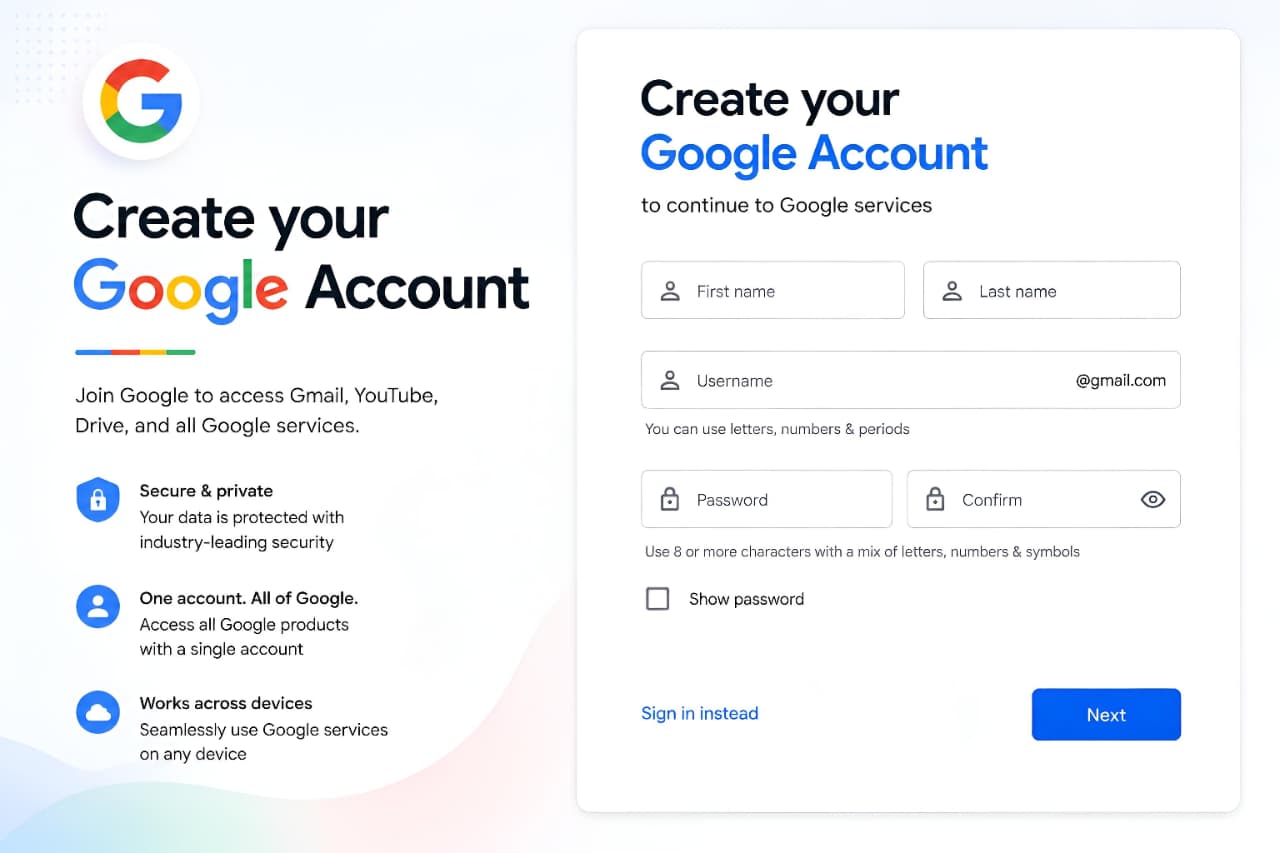
Step 2: Enter Your Name
You’ll be asked to provide:
- First Name
- Last Name
Use your real name whenever possible. This helps with account recovery and creates a more professional online identity.
After entering your details, click Next.
Step 3: Enter Your Basic Information
Google may ask for:
- Date of Birth
- Gender
This information helps Google provide age-appropriate services and improve account security.
Make sure the information you enter is accurate.
Click Next to continue.
Step 4: Choose a Gmail Address
At this stage, you’ll be prompted to create a username.
For example:
- johnsmith123
- alex.brown2024
- sarahwritesonline
Your chosen username will become part of your Gmail address.
Example:
yourname@gmail.comTips for Choosing a Good Username
- Keep it simple and memorable
- Avoid unnecessary numbers
- Use your real name if available
- Choose a professional format
If your preferred username is unavailable, Google will suggest alternatives.
Step 5: Create a Strong Password
Your password is one of the most important parts of your Google Account.
A strong password should:
- Contain at least 8 characters
- Include uppercase letters
- Include lowercase letters
- Include numbers
- Include special symbols
Example:
Myp@ssword2025#Avoid using:
- Birth dates
- Phone numbers
- Simple patterns
- Common words
A strong password significantly improves account security.
Step 6: Add a Phone Number
Google may ask for a phone number to verify your identity.
Benefits of adding a phone number include:
- Account recovery
- Security alerts
- Verification support
- Protection against unauthorized access
Google will send a verification code via SMS.
Enter the code and proceed.
Step 7: Add a Recovery Email Address
A recovery email helps you regain access if:
- You forget your password
- Your account is compromised
- You lose access to your device
Although sometimes optional, adding a recovery email is strongly recommended.
It serves as an additional layer of protection for your Google Account.
Step 8: Review Privacy and Terms
Before completing registration, Google will present:
- Privacy Policy
- Terms of Service
Take a few moments to review these documents.
Understanding how your information is handled helps you make informed decisions about your privacy settings.
When ready, click I Agree.
Step 9: Complete the Account Setup
Once you accept Google’s terms, your Google Account will be created.
You can immediately start using:
- Gmail
- YouTube
- Google Drive
- Google Photos
- Google Calendar
- Google Meet
Your account is now active and ready to use.
Essential Security Settings After Creating a Google Account
Many users stop after account creation, but securing your account should be the next priority.
Enable Two-Step Verification
Two-Step Verification adds an extra security layer.
Even if someone discovers your password, they won’t be able to access your account without the second verification step.
Google’s official security page:
https://myaccount.google.com/security
This feature significantly reduces the risk of unauthorized access.
Review Security Activity
Regularly check:
- Recent logins
- Connected devices
- Security alerts
Remove any unfamiliar devices immediately.
If Google detects unusual activity in your account, you may receive a Google Critical Security Alert notification. Understanding these alerts can help you protect your account and respond quickly to potential security threats.
Update Recovery Information
Keep your:
- Phone number
- Recovery email
up to date at all times.
This ensures you can recover your account if needed.
Use a Unique Password
Never reuse passwords across multiple websites.
Using a unique password helps protect your Google Account even if another website experiences a data breach.
Users should also learn how to Protect Your Google Account from phishing attacks and unauthorized access.
Common Problems When Creating a Google Account
Username Already Taken
Popular usernames may already be in use.
Solution:
- Add initials
- Add periods
- Add meaningful numbers
Phone Verification Not Working
Sometimes SMS codes may be delayed.
Solution:
- Check network coverage
- Wait a few minutes
- Request a new code
Password Rejected
Google may reject weak passwords.
Solution:
Create a stronger password with a mix of:
- Letters
- Numbers
- Symbols
Unable to Complete Registration
This can happen due to:
- Browser issues
- Network interruptions
- Temporary verification problems
Solution:
- Refresh the page
- Try another browser
- Clear browser cache
Benefits of Creating a Google Account for Everyday Use
A Google Account provides access to essential online tools that help users communicate, collaborate, store files, and manage daily activities. Whether you use Gmail for email, Google Drive for storage, or Google Calendar for scheduling, having a Google Account makes it easier to stay connected across multiple devices and services.
Benefits of Having a Google Account
Once your Google Account is active, you gain access to several powerful features.
Gmail
Send and receive emails efficiently from anywhere.
Google Drive
Store files securely in the cloud.
Google Photos
Back up and organize your photos automatically.
Google Docs
Create documents without installing additional software.
Google Meet
Join online meetings and video calls.
Google Calendar
Manage appointments and schedules more effectively.
YouTube
Subscribe to channels, create playlists, and upload videos.
Best Practices for Managing Your Google Account
To keep your account secure and organized:
- Enable Two-Step Verification
- Update passwords regularly
- Monitor security activity
- Keep recovery information current
- Avoid sharing login credentials
- Review connected apps periodically
- Log out from public devices
These habits help maintain long-term account security.
Following basic privacy practices such as How to Protect Your Personal Data Online can further improve account secur
Frequently Asked Questions (FAQ)
Is a Google Account free to create?
Yes. Creating and maintaining a Google Account is completely free.
Do I need a phone number to create a Google Account?
In some cases, Google may request a phone number for verification and security purposes. Requirements can vary depending on location and account activity.
Can I create multiple Google Accounts?
Yes. Many users create separate accounts for personal, business, or educational purposes.
Is Gmail the same as a Google Account?
No. Gmail is one service that comes with a Google Account. A Google Account provides access to many Google services.
Can I use a non-Gmail email address for a Google Account?
Yes. Google allows users to create an account using an existing email address from another provider.
What happens if I forget my password?
You can recover access using your recovery phone number or recovery email address.
How can I make my Google Account more secure?
Enable Two-Step Verification, use a strong password, and keep your recovery information updated.
Can I change my Google Account password later?
Yes. You can update your password anytime through your account security settings.
Can I use one Google Account on multiple devices?
Yes. A single Google Account can be used across smartphones, tablets, laptops, and desktop computers.
How long does it take to create a Google Account?
Most users can complete the setup process within a few minutes.
Conclusion
Creating a Google Account is one of the simplest yet most valuable steps you can take to access Google’s ecosystem of services. From Gmail and YouTube to Google Drive and Calendar, a single account unlocks tools that help with communication, productivity, storage, and collaboration.
By following the official setup process, choosing a strong password, adding recovery information, and enabling security features such as Two-Step Verification, you can create a secure and reliable account that serves your personal and professional needs for years to come.
Whether you’re a beginner creating your first account or someone looking for a complete walkthrough, following these steps will ensure a smooth and secure experience from start to finish.
Google’s ecosystem is increasingly powered by AI technologies, including tools discussed in Latest Google Updates Explained.