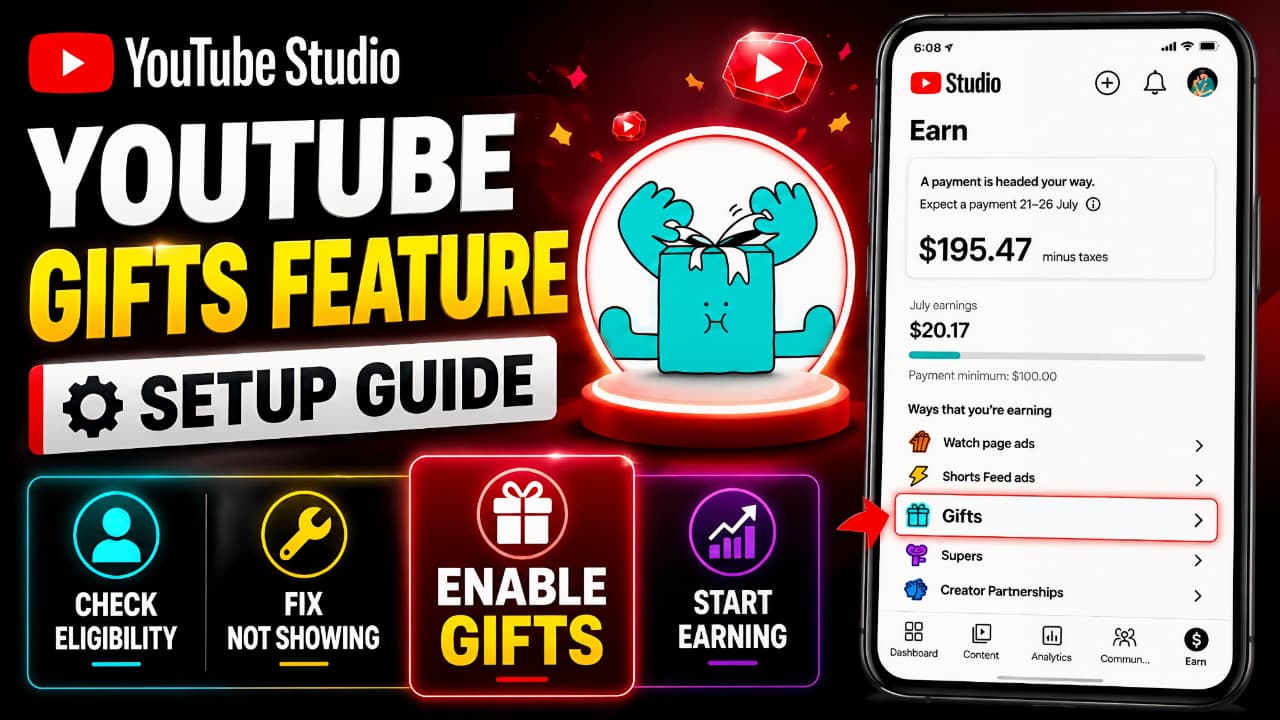
YouTube continues to introduce new monetization tools that help creators earn more while building stronger connections with their audience. One of the latest additions is the YouTube Gifts Feature, a virtual gifting system that allows viewers to support creators during eligible live streams.
If you’ve recently opened YouTube Studio and noticed the Gifts option—or if you’re wondering why it isn’t available on your channel yet this guide explains everything you need to know. In this article, you’ll learn what the YouTube Gifts Feature is, who can use it, how to enable it, and what to do if the option is not showing.
Whether you’re a new creator or already part of the YouTube Partner Program, understanding this feature can help you prepare for another monetization opportunity as YouTube expands its creator tools.
As YouTube continues to introduce new monetization tools, staying updated with the latest Google updates can help creators discover new features and improve their overall content strategy.
What Is the YouTube Gifts Feature?
The YouTube Gifts Feature is a monetization tool designed specifically for live streaming. It allows viewers to purchase virtual items and send them to eligible creators during live broadcasts as a way of showing appreciation and support.
Unlike traditional donations, YouTube manages the entire gifting process within its own ecosystem. When viewers purchase and send Gifts, eligible creators receive earnings according to YouTube’s monetization policies.
The feature is intended to make live streams more interactive while giving creators another way to generate revenue beyond Super Chat, Super Stickers, and channel memberships.
Since this is a relatively new rollout, availability may vary depending on your account, country, and eligibility status.
To better understand how virtual gifts work and how creators receive earnings, you can refer to YouTube’s official Help Center for the latest eligibility and feature details.
Who Is Eligible for the YouTube Gifts Feature?
Not every creator will immediately have access to the YouTube Gifts Feature. YouTube is gradually rolling out the feature to eligible creators, so availability may differ even between channels that meet similar requirements.
In general, your channel should:
- Be enrolled in the YouTube Partner Program (YPP).
- Follow YouTube’s monetization and community policies.
- Have an active and verified AdSense account.
- Accept any required monetization terms if prompted in YouTube Studio.
- Be located in a supported region where the feature has been launched.
Meeting these requirements does not always mean the feature will appear instantly. Because YouTube is rolling out the feature in phases, some creators may receive access earlier than others.
Creators should also make sure their Google Account remains secure, as it plays an important role in managing YouTube Studio, monetization settings, and channel access.
How to Enable the YouTube Gifts Feature
If your channel is eligible and the feature has already been rolled out to your account, enabling it only takes a few minutes.
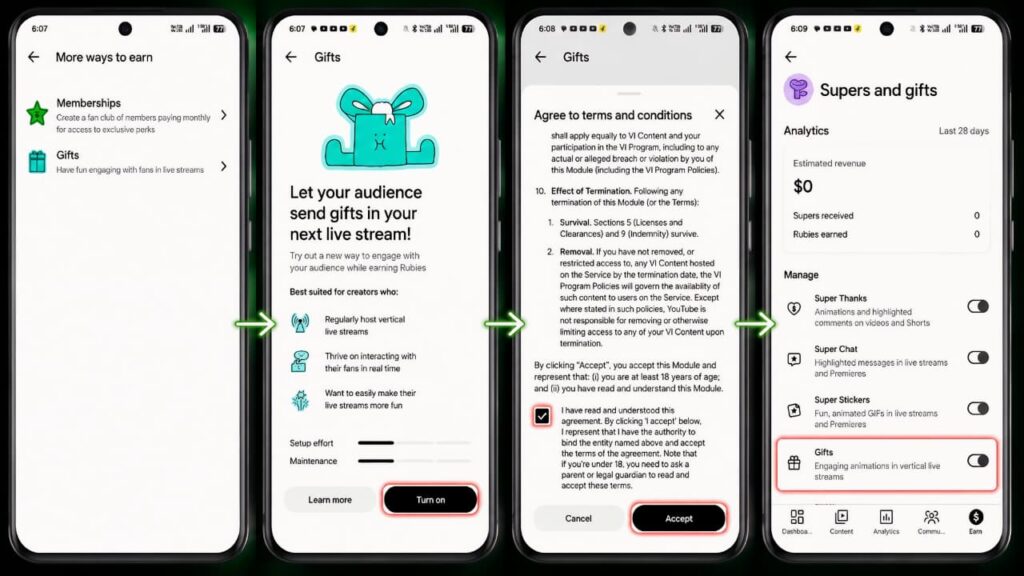
Step 1: Open YouTube Studio
Launch the YouTube Studio app on your smartphone or open YouTube Studio from your desktop browser.
Step 2: Go to the Earn Section
Navigate to the Earn tab where YouTube displays all available monetization options for your channel.
Step 3: Select "More Ways to Earn"
Inside the Earn section, look for More Ways to Earn. If the YouTube Gifts Feature is available, you’ll see a dedicated Gifts option.
Step 4: Review the Information
Open the Gifts page and read the information provided by YouTube. The page explains how the feature works and how viewers can send virtual gifts during eligible live streams.
Step 5: Accept the Terms
Read the Terms and Conditions carefully and accept them to continue.
Step 6: Complete the Setup
Once you’ve completed the required steps, the YouTube Gifts Feature will be enabled for your eligible live streams.
Step 7: Verify That Gifts Is Enabled
After completing the setup, return to the Gifts section in YouTube Studio and confirm that the feature is turned on. If the option is enabled, your channel will be ready to receive Gifts during eligible live streams whenever the feature becomes available for your account.
Why Is the YouTube Gifts Feature Not Showing?
One of the most common questions creators ask is why the YouTube Gifts Feature isn’t appearing in YouTube Studio. In most cases, the issue isn’t caused by a technical problem. Instead, it usually comes down to account eligibility or the rollout process.
Here are some common reasons why you may not see the feature:
1. The Feature Hasn't Reached Your Account Yet
YouTube releases new features gradually rather than making them available to every creator on the same day. If your channel meets all the requirements but the Gifts option is still missing, you may simply need to wait until the rollout reaches your account.
2. Your Channel Doesn't Meet the Eligibility Requirements
The YouTube Gifts Feature is currently available only for eligible creators. If your channel isn’t enrolled in the YouTube Partner Program or doesn’t meet YouTube’s monetization requirements, the feature won’t appear.
3. Required Monetization Agreements Are Incomplete
Some creators may be asked to accept additional monetization terms before new earning features become available. Make sure you’ve reviewed and accepted any pending agreements in YouTube Studio.
4. Your Region Isn't Supported Yet
Although YouTube is expanding the availability of Gifts, the feature isn’t available in every country at the same time. Regional rollout schedules may vary.
Benefits of the YouTube Gifts Feature
The YouTube Gifts Feature offers several advantages for creators who regularly host live streams.
- Earn additional revenue during eligible live broadcasts.
- Give viewers another way to support your content.
- Increase audience engagement through interactive gifting.
- Expand your monetization options alongside Super Chat and Super Stickers.
- Strengthen your community by encouraging real-time participation.
As YouTube continues investing in creator monetization, features like Gifts can become an important part of a creator’s overall earning strategy.
Frequently Asked Questions
Can every creator use the YouTube Gifts Feature?
No. The feature is only available to creators who meet YouTube’s eligibility requirements and are included in the current rollout.
Does the YouTube Gifts Feature work on every live stream?
No. Availability depends on YouTube’s policies and your channel’s eligibility. Some types of live streams may not support Gifts.
How can I check whether my channel has the YouTube Gifts Feature?
Open YouTube Studio, go to Earn, and select More Ways to Earn. If your account is eligible and the rollout has reached your channel, you’ll see the Gifts option.
Final Thoughts
The YouTube Gifts Feature is another step forward in YouTube’s creator monetization platform. It provides creators with a new way to earn while making live streams more interactive for viewers.
If the feature is already available on your channel, completing the setup takes only a few minutes. If it isn’t showing yet, don’t worry. Check your eligibility, complete any required monetization agreements, and keep an eye on YouTube Studio as the rollout continues.
If you’re interested in learning more about the latest platform features and digital tools, you may also enjoy reading our guide on ChatGPT, its features, and how it is changing the way creators work online.
Staying updated with new YouTube features can help creators unlock additional earning opportunities and get the most out of their content.
Because the YouTube Gifts Feature is still rolling out, eligibility and availability may change over time. For the latest announcements, it’s always a good idea to check the official YouTube Blog.