Finding information on Google Maps has traditionally meant typing keywords, browsing reviews, or manually exploring nearby places. But as mapping technology becomes smarter, Google is introducing new ways for people to discover locations using natural conversations instead of simple search terms.
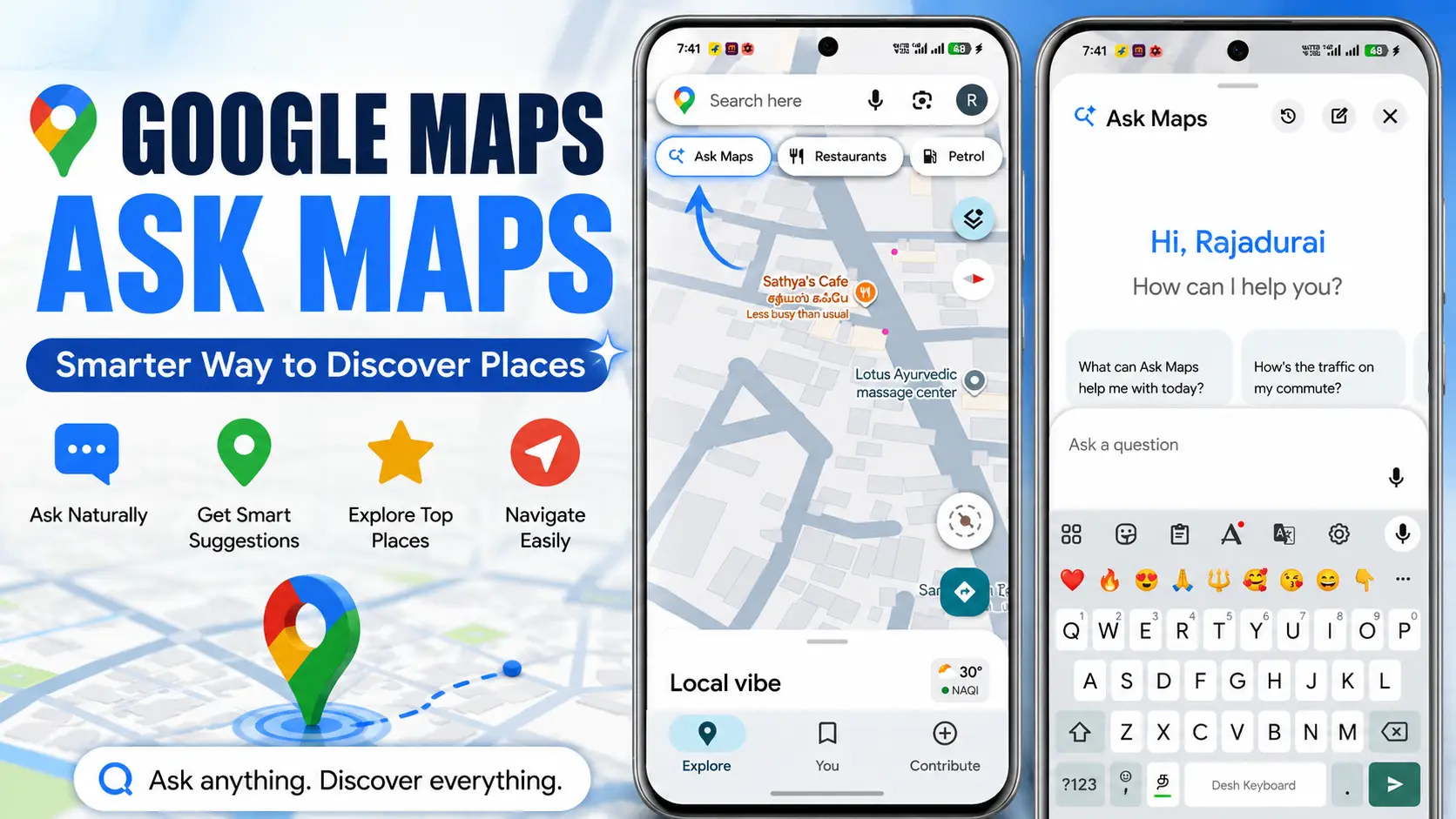
One of the latest additions is Ask Maps, an AI-powered feature that helps users ask detailed questions about places, neighborhoods, restaurants, attractions, and local businesses directly within Google Maps. Instead of searching with short keywords, you can describe exactly what you’re looking for, and Maps provides personalized recommendations based on your request.
In this guide, you’ll learn what Google Maps Ask Maps is, how it works, its key features, benefits, limitations, and how to use it effectively.
Google Maps Ask Maps is designed to make finding places faster, smarter, and more intuitive for everyday users.
What Is Google Maps Ask Maps?
Google Maps Ask Maps is an intelligent search feature that allows users to ask natural-language questions inside Google Maps instead of relying only on traditional keyword searches.
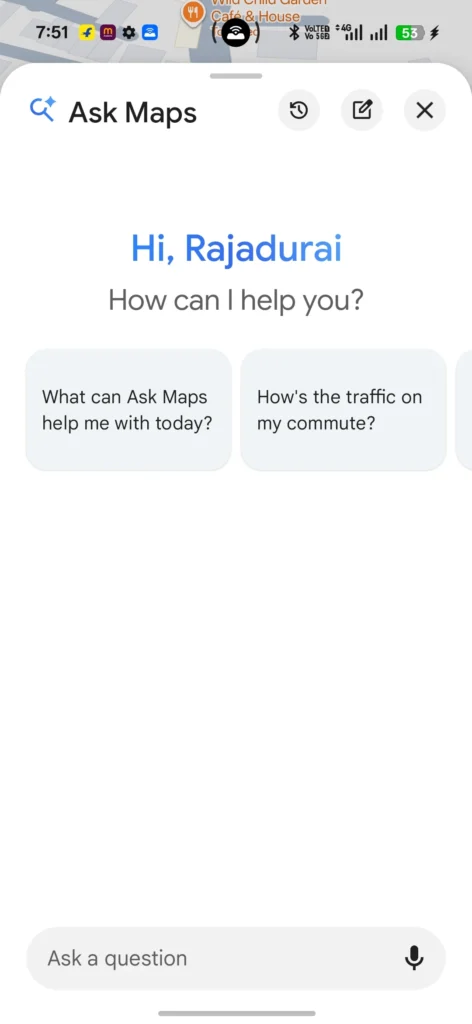
Rather than searching for:
- Coffee shop
- Pizza near me
- Tourist attractions
You can ask more specific questions like:
- “Where can I find a quiet café with outdoor seating?”
- “Best family-friendly restaurants nearby.”
- “Places to visit within a two-hour drive this weekend.”
- “Which coffee shops are good for working with a laptop?”
Ask Maps understands the intent behind your question and combines information from Google Maps listings, business details, reviews, ratings, opening hours, and location data to generate useful recommendations.
Overall, Google Maps Ask Maps makes location discovery easier by understanding natural questions instead of simple keywords.
How Does Ask Maps Work?
Ask Maps uses Google’s AI-powered search capabilities to better understand conversational questions.
Instead of matching only keywords, it attempts to understand:
- What you’re actually looking for
- Your location
- Distance preferences
- Business ratings
- Opening hours
- Customer reviews
- Popular times
- Place categories
- Local relevance
This allows Google Maps to provide recommendations that are more personalized than a standard search.
For example:
Instead of searching:
“Restaurant”
You can ask:
“Show me vegetarian restaurants with outdoor seating that are open now.”
Maps then filters available locations that match multiple conditions simultaneously.
This intelligent approach helps Google Maps Ask Maps deliver more relevant and personalized search results.
Key Features of Google Maps Ask Maps
Natural Language Search
You can search using complete sentences rather than short keywords.
Example:
- “Best breakfast places open before 7 AM.”
- “Affordable hotels near the airport.”
- “Parks suitable for kids.”
This makes searching feel more conversational.
Smarter Recommendations
Ask Maps looks beyond business names.
It considers factors such as:
- Ratings
- Reviews
- Popularity
- Business category
- Distance
- Availability
- Location relevance
The results are usually more targeted to your request.
Better Trip Planning
Planning a trip often requires searching multiple places individually.
Ask Maps simplifies this process.
For example:
- Attractions for one-day trips
- Rainy-day activities
- Family vacation ideas
- Romantic dinner locations
- Weekend destinations
Instead of performing several searches, you can ask one detailed question.
Context-Aware Suggestions
Ask Maps understands multiple conditions in a single search.
For example:
“Find a quiet café near the railway station with free Wi-Fi.”
Rather than showing every café nearby, it attempts to narrow results based on your preferences.
Local Discovery
The feature is useful when visiting unfamiliar places.
You can ask questions like:
- Hidden local attractions
- Popular restaurants
- Scenic viewpoints
- Good shopping areas
- Family activities
This helps discover places that might not appear through simple keyword searches.
Benefits of Google Maps Ask Maps
Saves Time
You no longer need to perform several separate searches.
One detailed question often produces better results.
More Relevant Results
Because Ask Maps understands context, recommendations often match your actual needs more closely.
Easier for Everyone
Many people don’t know the exact keywords needed for traditional searches.
Natural-language questions are simpler and more intuitive.
Better Travel Experience
Whether you’re traveling locally or internationally, Ask Maps can make it easier to discover restaurants, attractions, cafés, and other useful places nearby.
Improved Decision Making
Instead of relying only on ratings, users can search based on specific preferences such as:
- Budget
- Family-friendly locations
- Quiet atmosphere
- Accessibility
- Outdoor seating
- Pet-friendly businesses
How to Use Google Maps Ask Maps
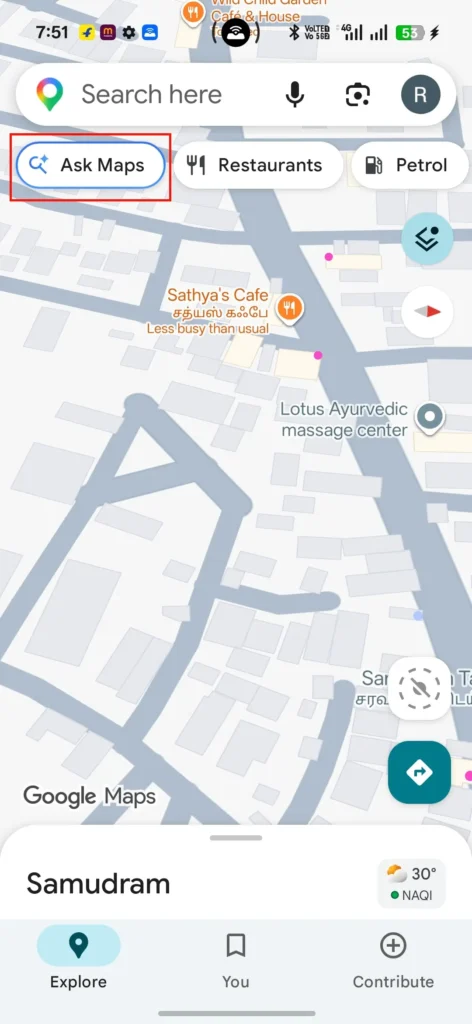
Using Ask Maps is straightforward once the feature is available on your account.
Step 1
Open the latest version of Google Maps.
Step 2
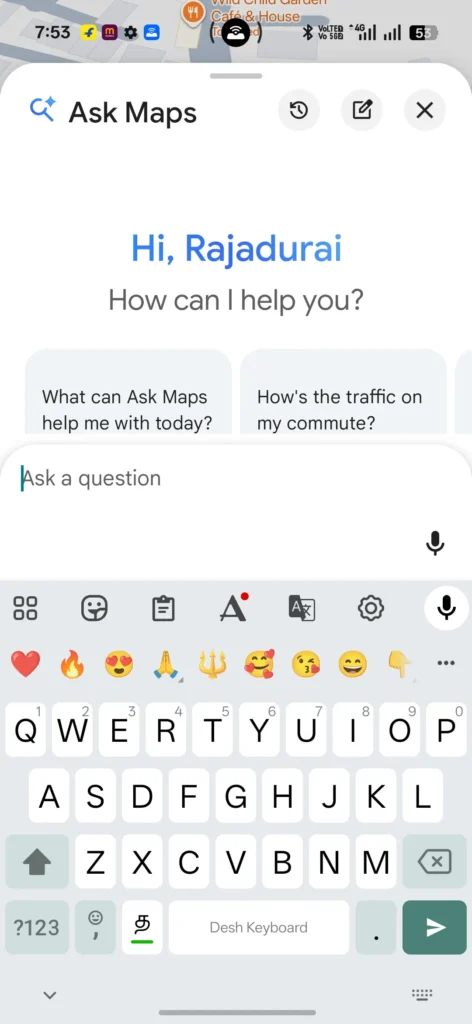
Tap the search bar.
Step 3
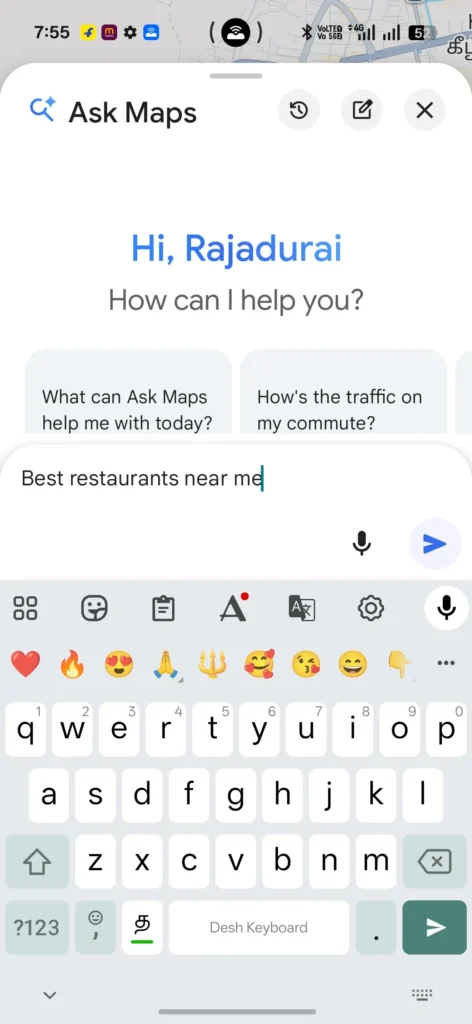
Instead of typing a simple keyword, enter a complete question.
Examples:
- Best cafés for remote work nearby
- Quiet parks for walking
- Restaurants serving vegan food
- Museums suitable for children
Step 4
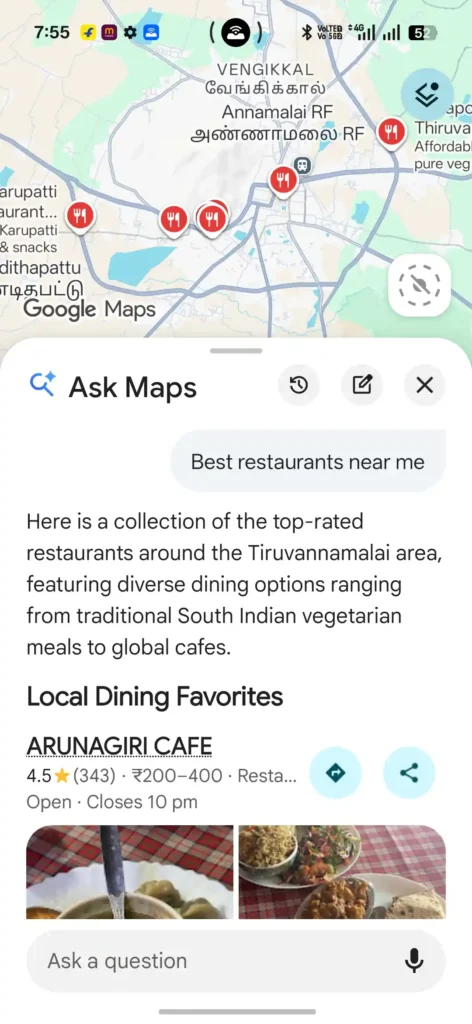
Review the suggested places.
Google Maps may display recommendations along with ratings, reviews, photos, operating hours, and directions.
Step 5
Choose the location that best matches your needs and start navigation.
If you’re new to Google Maps or want to explore its latest features, you can visit the official Google Maps website to access maps, navigation, and location-based services directly.
Best Ways to Search with Ask Maps
The quality of results often depends on how clearly you describe what you’re looking for.
Good examples include:
- Best coffee shops with free Wi-Fi
- Affordable hotels near downtown
- Family-friendly beaches nearby
- Quiet restaurants for dinner
- Hiking trails suitable for beginners
- Dog-friendly parks
- Scenic viewpoints for photography
- Places to visit on a rainy day
The more specific your request, the more useful the recommendations can be.
Ask Maps vs Traditional Google Maps Search
| Traditional Search | Ask Maps |
|---|---|
| Keyword-based | Conversational search |
| Limited context | Understands detailed requests |
| Requires multiple searches | Can answer complex queries in one search |
| Manual filtering | Smarter recommendations |
| Basic location matching | Context-aware suggestions |
This comparison shows why Google Maps Ask Maps offers a more conversational and efficient search experience.
When Is Ask Maps Most Useful?
Ask Maps works particularly well when:
- Planning vacations
- Exploring a new city
- Finding restaurants based on specific preferences
- Looking for activities with children
- Discovering hidden local attractions
- Searching for places open at certain times
- Comparing nearby options
- Planning weekend outings
Tips for Better Results
To get the most useful recommendations:
- Use complete, natural sentences.
- Mention important preferences such as budget, atmosphere, or accessibility.
- Include time-related details like “open now” or “this evening” when relevant.
- Turn on location access for more accurate nearby suggestions.
- Keep Google Maps updated to access the latest features.
Applying these tips will help you get the most accurate results from Google Maps Ask Maps.
Things to Keep in Mind
Ask Maps is still being introduced gradually, so availability may vary by region, language, and account. If you don’t see the feature yet, ensure your Google Maps app is updated and watch for future updates.
Also, while Ask Maps can provide helpful recommendations, it’s still a good idea to check recent reviews, business hours, and other details before visiting a place, as information can change over time.
Because availability and place information can change, check the latest details in Google Maps before making a decision.
To stay updated with the latest Google Maps features, supported regions, and official announcements, it’s always a good idea to check the Google Maps Help Center for the most accurate and up-to-date information.
Frequently Asked Questions
Is Google Maps Ask Maps free?
Yes. Ask Maps is available as part of Google Maps and does not require an additional subscription.
Does Ask Maps replace regular Google Maps search?
No. Traditional keyword search remains available. Ask Maps simply adds a more conversational way to find places.
Can Ask Maps recommend restaurants?
Yes. You can ask for restaurants based on cuisine, price range, atmosphere, location, or other preferences.
Does Ask Maps work for travel planning?
Yes. It can help you discover attractions, cafés, hotels, parks, museums, shopping areas, and other destinations that match your travel needs.
Is Ask Maps available worldwide?
The rollout is gradual, so availability may differ depending on your country, language, app version, and account.
Final Thoughts
Google Maps Ask Maps represents a significant step toward more natural and intelligent location search. Instead of relying on basic keywords, it allows you to describe exactly what you’re looking for in everyday language, making it easier to discover places that match your preferences.
Whether you’re planning a vacation, searching for the perfect restaurant, finding a quiet workspace, or exploring a new city, Ask Maps can simplify the process by providing more personalized recommendations. As Google continues expanding the feature, it has the potential to make Google Maps not just a navigation tool, but a smarter companion for discovering the world around you.
As Google Maps Ask Maps continues to expand, it is likely to become an even more powerful tool for discovering places with ease.