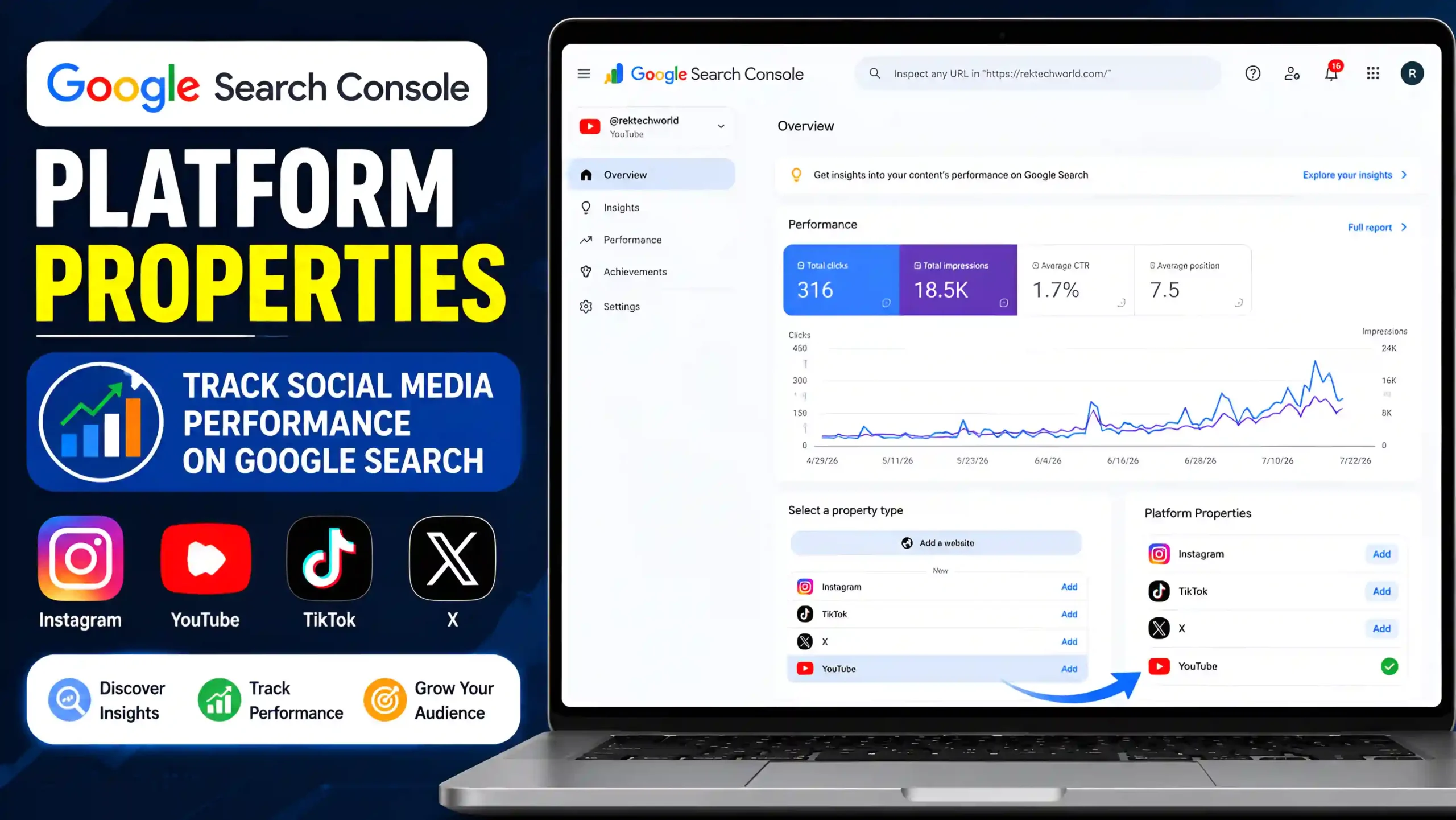
Google Search Console Platform Properties allow eligible creators and organizations to understand how supported public content performs in Google Search.
Google Search Console has traditionally been used to monitor website search performance, including clicks, impressions, indexing, and search queries. Platform Properties extend Search Console reporting to eligible content published on supported platforms.
This can be useful if you publish content on platforms such as YouTube, Instagram, TikTok, or X and want to understand how people discover that content through Google Search.
Note: Platform Properties are being rolled out gradually. The available platforms and features may vary depending on your account and Google’s current rollout.
What Are Google Search Console Platform Properties?
Google Search Console Platform Properties are a type of Search Console property designed to provide search performance data for eligible public content published on supported platforms.
Unlike a traditional Website Property, which focuses on website pages, a Platform Property focuses on eligible content published through a supported platform.
Depending on the available reports, you may be able to understand:
- How often your content appears in Google Search
- Which search queries lead users to your content
- How many clicks your content receives
- How your search visibility changes over time
This gives creators another way to understand how Google Search contributes to the discovery of their public content.
Why Google Introduced Platform Properties
People do not use websites alone to find information. Google Search can also display public videos, posts, tutorials, reviews, and other content from different platforms.
For creators, this creates an opportunity to understand whether their content is being discovered through Google Search.
Platform Properties are intended to provide search-focused performance information for eligible content published on supported platforms.
With this information, creators can:
- Understand how people discover their content
- Identify search queries related to their content
- Monitor search visibility over time
- Use search data when planning future content
Instead of relying only on the analytics provided by each platform, creators can also look at how their content performs specifically in Google Search.
Who Can Benefit from Platform Properties?
Platform Properties can be useful for different types of users, depending on the supported platform and available features.
Content Creators
YouTube creators and other eligible creators can use search performance information to understand how their public content is discovered through Google.
Businesses
Businesses can use search data to understand how their public platform content contributes to visibility in Google Search.
Publishers
Publishers who distribute content across supported platforms can use search performance information to identify topics and content that receive search visibility.
Digital Marketers
Marketing professionals can use search data alongside platform-specific analytics to better understand how content performs in Google Search.
Supported Platforms
Google is gradually expanding Platform Properties to supported platforms.
Depending on eligibility and availability, supported services may include:
- YouTube
- TikTok
- X
The exact platforms and reports available can change as Google continues to develop the feature.
If you do not see a particular platform in your Search Console account, it may simply not be available for your account yet.
Website Property vs. Platform Property
Website Properties and Platform Properties serve different purposes.
A Website Property is used to monitor a website’s performance in Google Search. It can provide information related to search traffic, indexing, Core Web Vitals, and other website-related reports.
A Platform Property focuses on eligible public content published on supported platforms and its performance in Google Search.
For example, if you own a website, you would continue using a Website Property to monitor that website. If you also publish content on an eligible platform, a Platform Property can provide additional search performance information for that content.
So, a Platform Property does not replace your normal Website Property.
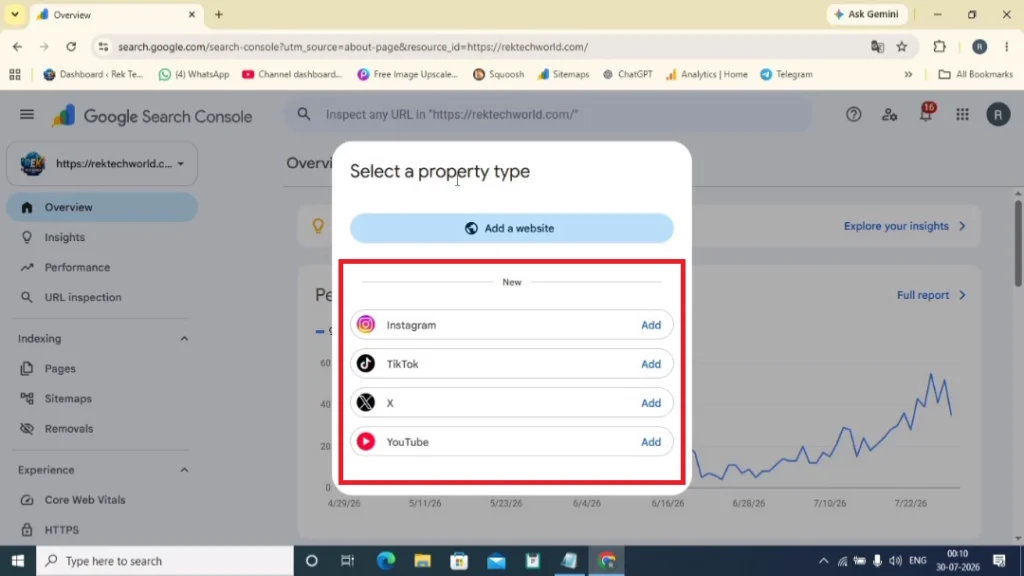
Understanding the Property Selection Screen
When you select Add Property in Google Search Console, the options available to you depend on your account and Google’s current rollout.
Eligible users may see the traditional Add a Website option along with available Platform Property options.
Website Properties are used for websites, while Platform Properties are designed for supported public platform content.
The available options can vary between accounts, so not everyone will necessarily see the same property types.
How Platform Properties Work
The basic process can be understood in a few steps:
- You publish eligible public content on a supported platform.
- Google discovers the eligible content.
- The content can appear in relevant Google Search results.
- Search Console collects available search performance information.
- The data becomes available through the relevant Platform Property reports.
This allows you to use actual search performance data rather than relying entirely on assumptions about how people discover your content.
Before You Set Up a Platform Property
Before attempting to add a Platform Property, check the following:
- Sign in with the correct Google account.
- Make sure the relevant content is publicly available where required.
- Check whether the platform is currently supported.
- Confirm that the feature is available for your account.
- Complete any verification or authorization steps requested by Google.
Because Platform Properties are being rolled out gradually, the feature may not be available to every account.
How to Set Up a Platform Property
If the feature is available for your account, the setup process is generally straightforward.
Step 1: Sign In
Open Google Search Console and sign in with the Google account associated with the platform you want to use.
Step 2: Add a New Property
Select Add Property in Search Console.
If your account has access to Platform Properties, the available options will be displayed.
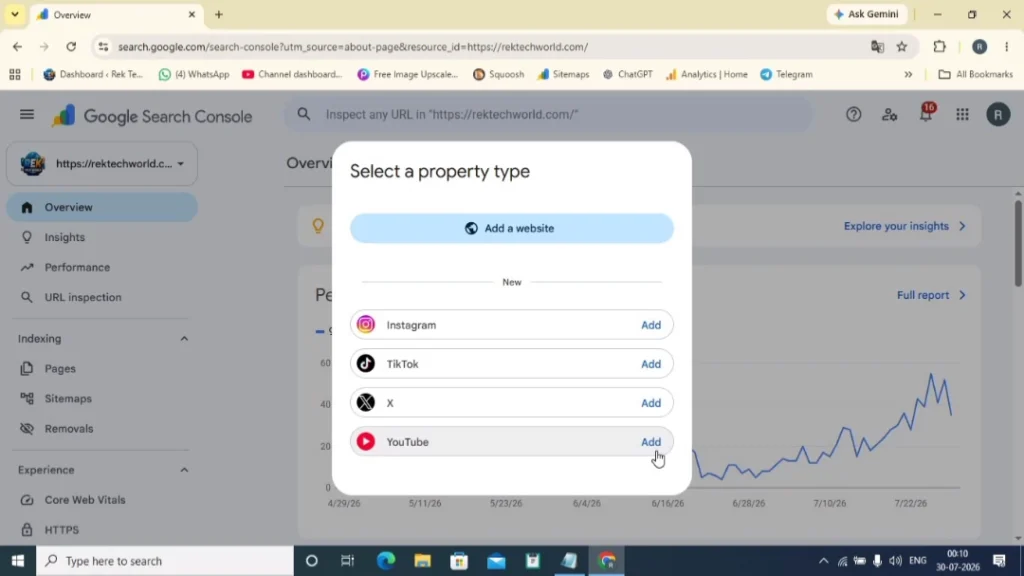
Property Selection Screen
After selecting Add Property, you may see the traditional Add a Website option along with supported Platform Property options.
Depending on your account, you may see platforms such as YouTube, Instagram, TikTok, or X.
Select the platform you want to connect and continue with the setup process.
Step 3: Complete Verification
Follow the verification or authorization instructions shown by Google.
The exact process can vary depending on the platform you select.
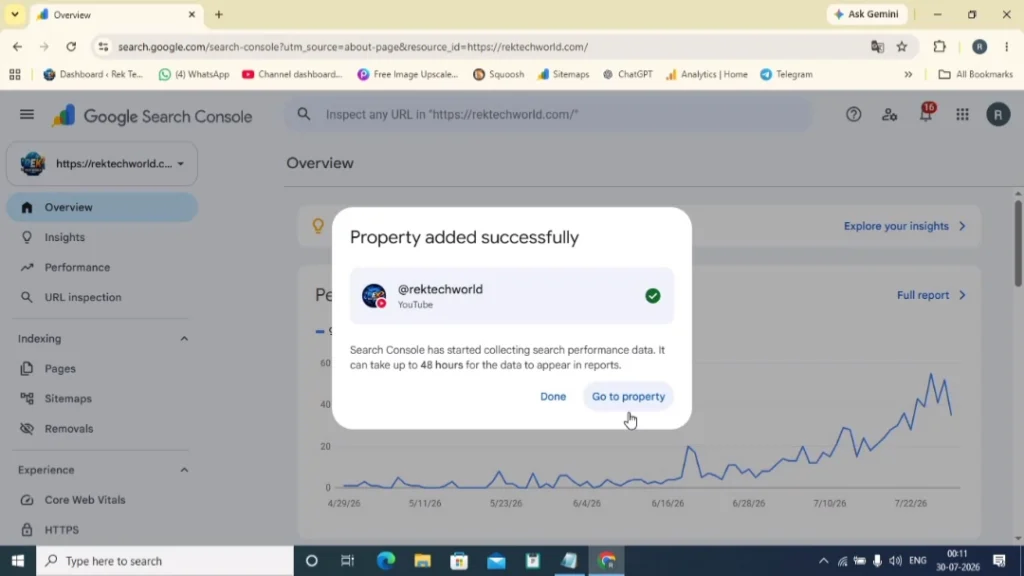
Step 4: Wait for Data
After the property is successfully configured, Search Console can begin collecting eligible search performance data.
New properties may not show meaningful data immediately. Give the system some time to collect and process the available information.
For the most up-to-date setup instructions, refer to the official Google Search Console Help Center.
Understanding Your Search Performance Reports
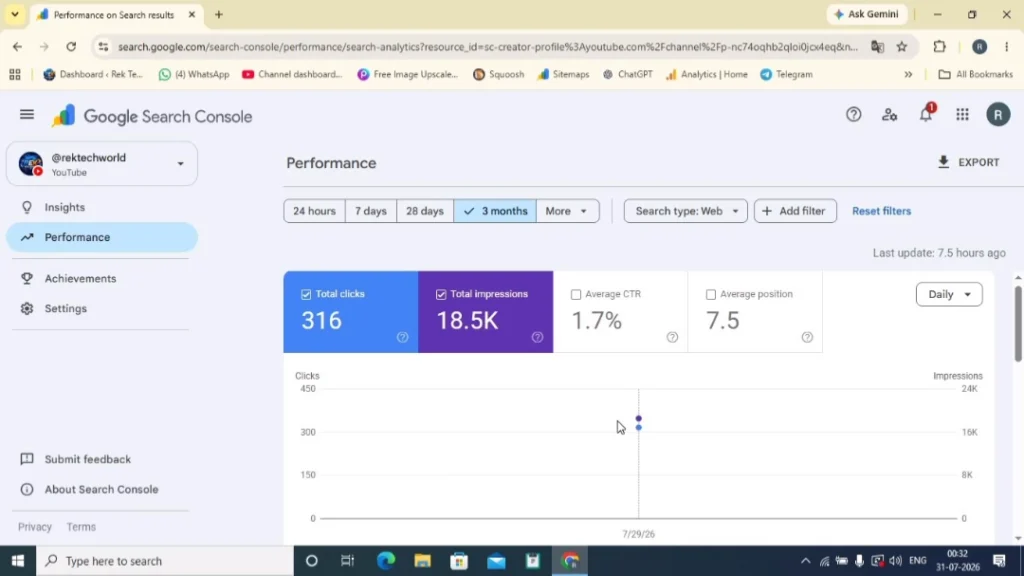
Once your Platform Property starts collecting data, the Performance report can help you understand how your eligible content appears in Google Search.
Some important metrics include:
Impressions
Impressions indicate how often your eligible content appeared in Google Search results.
Clicks
Clicks show how many times users selected your content from Google Search.
Click-Through Rate (CTR)
CTR represents the percentage of impressions that resulted in clicks.
For example, if your content receives many impressions but relatively few clicks, you may want to review how your content title and search presentation match the user’s query.
Average Position
Average position provides an indication of where your content appeared in Google Search.
Search performance can naturally fluctuate, so it is generally more useful to look at longer-term trends rather than reacting to every daily change.
Why Search Queries Matter
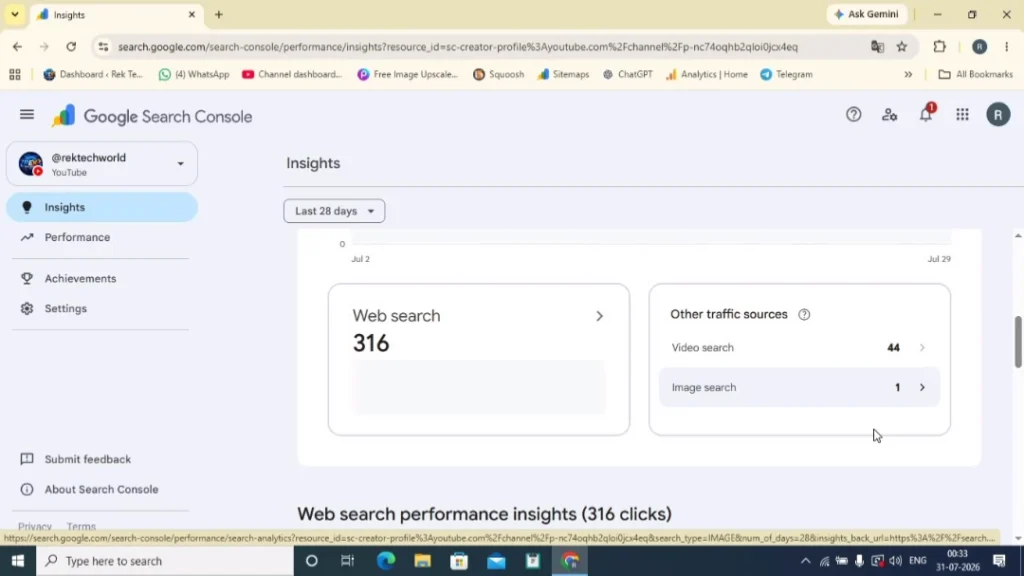
Search queries can show the terms people use when discovering your content through Google Search.
This information can help you understand what users are actually searching for instead of relying entirely on assumptions.
You can use search query data to:
- Find new content ideas
- Improve existing content
- Identify related topics
- Understand audience search behaviour
For creators who publish regularly, these insights can be useful when planning future content.
Using Search Data to Improve Future Content
Collecting search data is only useful if you apply what you learn.
If a particular topic consistently receives impressions and clicks, you can consider creating additional useful content around related questions.
If a page or piece of content receives many impressions but relatively few clicks, review its title and overall search presentation to see whether they clearly communicate what the content offers.
It is also better to look at longer-term trends rather than making major decisions based on a small amount of data.
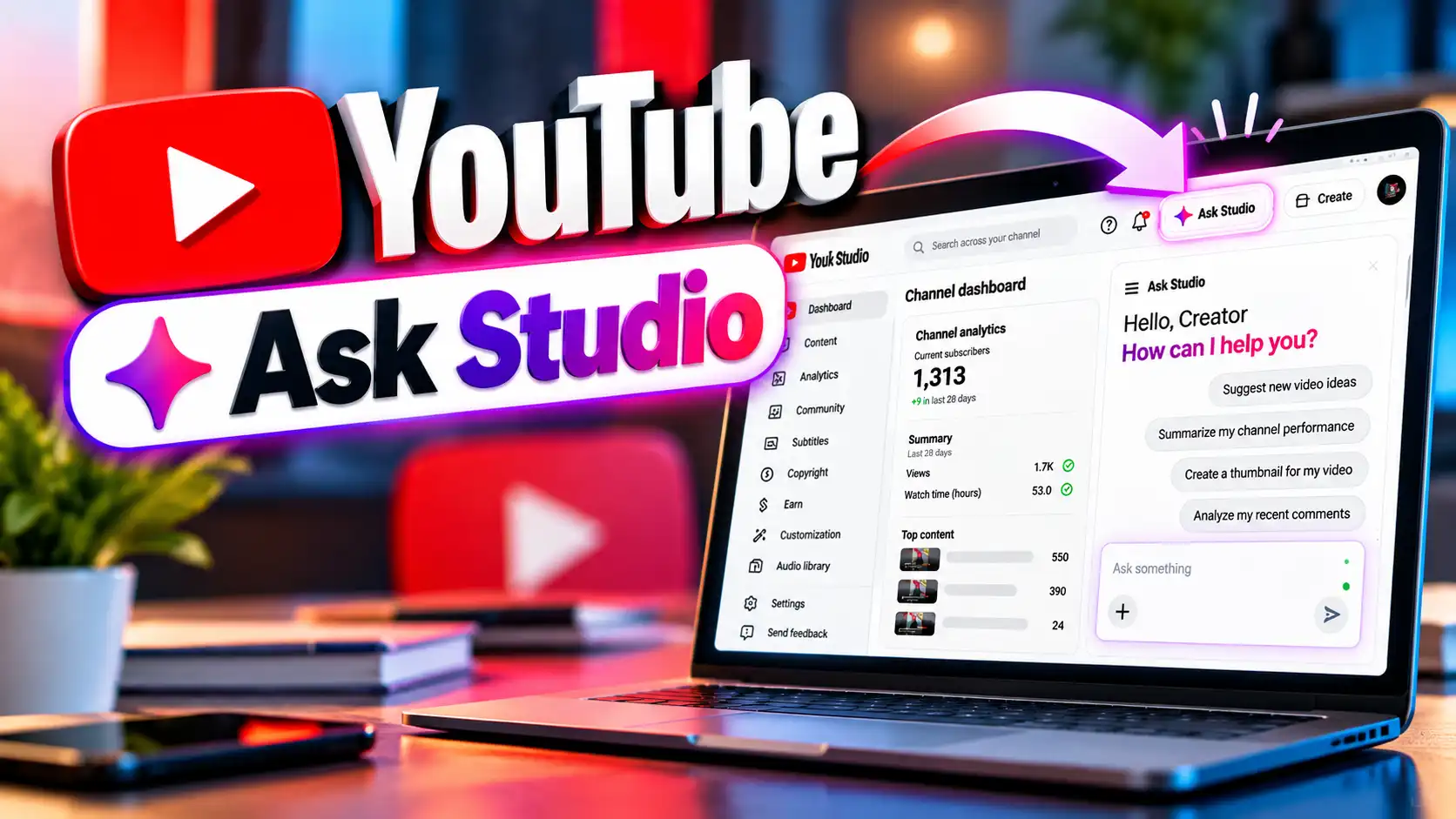
If you publish content on YouTube, you can also explore tools designed to help creators plan and improve their videos. Read our guide to YouTube Ask Studio to learn more about YouTube’s creator tools and content workflow.
Platform Analytics vs. Platform Properties
Platform Properties and platform-specific analytics are not the same thing.
Platform analytics generally focus on activity within the platform itself. Depending on the service, this may include views, engagement, audience information, or other platform-specific metrics.
Platform Properties focus specifically on how eligible public content is discovered through Google Search.
For this reason, Platform Properties do not necessarily replace tools such as YouTube Studio or Instagram Insights. They provide a different type of information.
Using both sources can give you a broader understanding of how your content performs.
Common Mistakes to Avoid
There are a few mistakes that can make search performance data less useful.
Avoid:
- Checking performance every day and reacting to normal fluctuations
- Ignoring the Search Queries report
- Confusing impressions with clicks
- Making major content changes based on limited data
- Using Platform Properties as a replacement for platform-specific analytics
Instead, review the data over a reasonable period and look for meaningful patterns.
Best Practices
To get useful insights from Platform Properties:
- Publish helpful and original content.
- Create content that matches user search intent.
- Review search performance regularly.
- Look at longer-term trends.
- Update useful content when information changes.
- Use successful topics to identify related content ideas.
It is also important to understand that Platform Properties do not directly improve your Google Search rankings. Their purpose is to provide search performance information that can help you make better content decisions.
To follow Google’s latest SEO recommendations, explore the official Google Search Central Documentation.
Current Limitations
Platform Properties are still developing, so there are some limitations to keep in mind:
- Availability may vary between accounts.
- Supported platforms may change over time.
- The feature is being rolled out gradually.
- Reports apply to eligible public content.
- Platform Properties measure Google Search performance rather than all activity within the platform.
- They complement platform-specific analytics rather than replacing them.
Because the feature continues to evolve, the available options and reports may change.
Why Don't I See the Feature?
If you cannot find Platform Properties in your Google Search Console account, it does not necessarily mean something is wrong.
Google may be rolling the feature out gradually, and availability can depend on factors such as:
- Your account
- Supported platform
- Rollout timing
- Eligibility
- Regional availability
First, make sure you are signed in with the correct Google account and check whether the feature becomes available later.
Frequently Asked Questions
What are Google Search Console Platform Properties?
They are a type of Search Console property designed to provide search performance information for eligible public content published on supported platforms.
Are Platform Properties free?
Yes. Google Search Console is a free service.
Do I need a website to use Platform Properties?
A traditional website is not necessarily required for a Platform Property. However, eligibility depends on the supported platform, account availability, and Google’s current requirements.
Can Platform Properties improve SEO?
Platform Properties do not directly improve search rankings. They provide search performance data that can help you make more informed content and SEO decisions.
Should I stop using YouTube Studio or Instagram Insights?
No. Platform Properties and platform analytics measure different aspects of content performance. You can use both to understand your content more completely.
Why can't I see Platform Properties in my account?
The feature is being rolled out gradually. If it is not available to you, check your account, supported platforms, and Search Console periodically for updates.
Final Thoughts
Google Search Console Platform Properties extend Search Console beyond traditional website properties by providing search-focused insights for eligible public content on supported platforms.
For creators, businesses, publishers, and marketers, these reports can help explain how content is discovered through Google Search and which search queries contribute to that visibility.
Platform Properties are not a replacement for your website’s Search Console property or platform-specific analytics. Instead, they provide another source of search performance information.
The most useful approach is to create helpful content, monitor meaningful search trends, and use the available data to improve future content.
As Google continues developing Platform Properties, the available platforms and reporting features may change. For the latest information, always refer to Google’s official documentation and announcements.