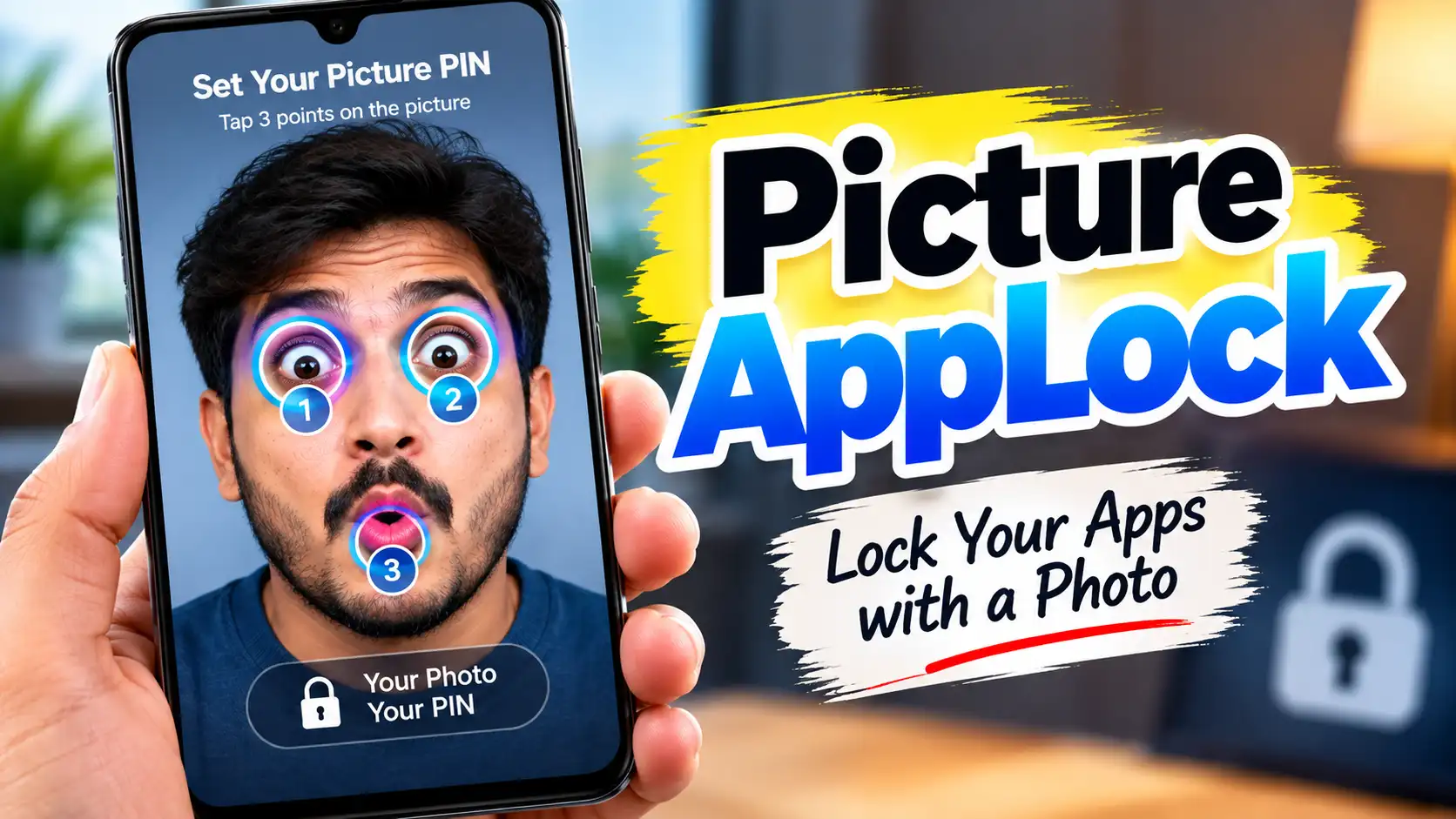
Picture AppLock is an Android privacy app designed to protect individual applications from unauthorized access. Unlike traditional app lockers that mainly depend on a PIN or visible pattern, Picture AppLock uses a photo as the basis of its unlocking method. You choose an image and select three specific locations on that image. These locations become your personal Picture PIN or picture code.
The idea behind Picture AppLock is simple: instead of remembering a number-based password or drawing a visible pattern, you remember specific points on an image. When somebody tries to open a protected application, the selected picture appears, but the secret touch locations are not displayed. The user has to tap the correct locations to unlock the protected app.
What Is Picture AppLock?
Picture AppLock is an app-locking solution developed by CFY Apps. Its main purpose is to add an additional privacy layer to applications installed on an Android smartphone.
Many people have private conversations, personal photographs, emails, social media accounts, financial applications and other sensitive information stored on their phones. Although the phone itself may already have a screen lock, there can be situations where someone knows the phone’s screen password or has access to an unlocked device.
An app locker can help in such situations by requiring an additional authentication step before a selected application can be opened.
Picture AppLock takes a different approach by allowing users to create an invisible picture-based code instead of relying only on a conventional PIN or pattern.
If you are interested in other ways to protect your smartphone, you can also check our guide to Gesture Lock Screen, which explains how gesture-based unlocking works on Android.
If you want to learn more about the app and its latest features, you can visit the Picture AppLock official website for additional information from the developer.
How Does Picture AppLock Work?
The main feature of Picture AppLock is its photo-based authentication system.
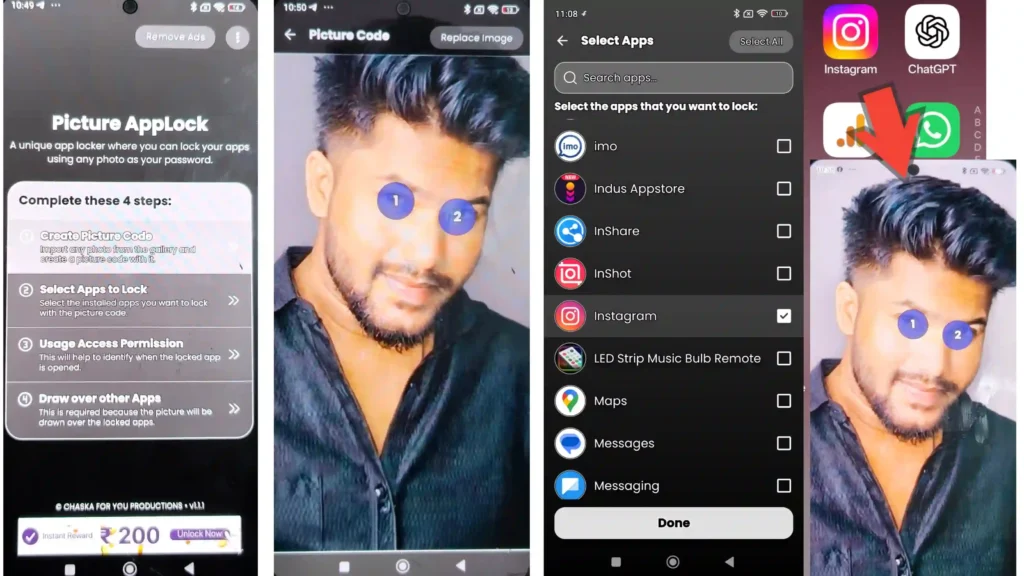
First, the user selects an image from the phone’s gallery. It can be a personal photograph, a landscape, an object, or another image that is easy for the user to remember.
After selecting the image, the user chooses three different locations on that picture. For example, the three points could be a person’s eye, a tree branch and a car tyre. These locations act as the secret touch points for the Picture PIN.
Once the setup is complete, the selected applications can be protected using the picture code.
When somebody attempts to open a locked application, the selected image is displayed. There is no obvious password written on the screen and no conventional pattern showing the unlock path. The user simply taps the three previously selected locations on the image.
If the correct locations are entered, the application opens. This makes the authentication method visually different from a standard PIN or pattern lock.
Why Use a Picture Instead of a Normal PIN?
Traditional PIN-based app locks require users to remember numbers. Pattern-based locks require users to remember a particular shape. These methods can sometimes be observed by another person while the password is being entered.
The concept behind Picture AppLock is to make the password less obvious. Since the password is based on specific locations within an ordinary-looking photograph, another person looking at the screen may not immediately know which points are being used.
For example, if the selected picture contains several objects, the three secret points could be placed on completely different parts of the image. The photo itself does not visually reveal which locations are the password.
However, users should still choose memorable locations carefully and avoid sharing their secret authentication details with others.
Lock Different Apps for Additional Privacy
One of the important features of Picture AppLock is the ability to protect individual applications rather than locking the entire smartphone.
According to the official Google Play description, users can protect applications such as messaging apps, social media apps, gallery applications, email apps and banking applications. This allows users to choose which apps require an additional layer of protection.
For example, someone may want to keep their messaging application accessible only to them while leaving other everyday applications unlocked.
This selective approach can be useful when sharing a phone with family members, lending the device to someone temporarily, or simply adding additional privacy to sensitive applications.
App-level privacy is only one part of smartphone security. Android also provides security recommendations for applications and developers. You can learn more about these practices in the official Android app security best practices documentation.
Download Picture AppLock
The button above links to the official Google Play listing for Picture AppLock.
Customizable Touch Accuracy
Another useful feature of Picture AppLock is customizable touch accuracy.
The app allows users to adjust the touch radius used for the secret locations. A standard setting can make unlocking easier, while a higher-precision setting can require the user to tap closer to the exact location selected during setup.
This can be useful because the secret points need to be both memorable and reasonably precise. The official app listing specifically describes this as a customizable match-accuracy feature.
Auto-Lock Timer
Picture AppLock also includes an auto-lock timer. Instead of necessarily requiring authentication every time an application is opened after briefly switching away from it, users can configure how quickly the protection should activate again.
The official listing gives examples such as locking immediately after closing an application or allowing a short grace period, including 30 seconds or 2 minutes.
This can make the app more convenient for everyday use. For example, a user who frequently switches between applications may prefer a short grace period, while someone who wants stricter protection may choose immediate locking.
Biometric Recovery
Forgetting the exact locations selected on a picture could otherwise make the authentication system inconvenient. To address this, Picture AppLock provides biometric recovery using the device’s supported fingerprint or face-unlock mechanism.
According to the official Google Play description, biometric authentication can be used to reset the App PIN when the user forgets the secret picture locations.
This feature provides an additional recovery method without changing the main concept of the picture-based lock.
Uninstall Protection
Another security-related feature is uninstall protection.
Without protection, someone with access to an unlocked phone might attempt to remove the app locker itself to bypass the additional app-level security. Picture AppLock includes a feature intended to prevent unauthorized users from bypassing the protection by uninstalling the app.
The exact behavior of security permissions can depend on the Android version and device manufacturer, so users should review the permissions requested by the app during setup.
Privacy and Data Protection
Privacy is particularly important for an application that protects other applications. According to the developer’s official website, the core security information—including the selected photo, secret tap coordinates and app usage history—is processed and stored locally on the device. The developer states that these core security details are not uploaded or transmitted to its servers.
At the same time, the Google Play Data Safety section indicates that the app may collect certain information such as financial information and app activity, and may share device or other IDs with third parties. The developer also states that information related to app performance, crashes, device information and advertising may be processed through services used by the app.
Therefore, users should review the app’s current privacy information and Android permissions before using it for sensitive applications.
Final Thoughts
Picture AppLock offers a different approach to Android app protection by turning an ordinary photograph into a personalized authentication method. Instead of using a traditional visible PIN or pattern, users select three secret locations on a picture and use those locations as their Picture PIN.
Its main features include individual app locking, customizable touch accuracy, an auto-lock timer, biometric recovery and uninstall protection. These features are designed to provide an additional privacy layer for applications containing personal conversations, photographs, emails, social media information and other sensitive data.
For users who want something different from a conventional PIN or pattern-based app locker, Picture AppLock provides a photo-based alternative that is straightforward to understand and customize. As with any security application, users should keep the app updated, carefully review permissions and choose a picture and secret touch points that are difficult for others to guess.