Have you ever looked at the small camera cutout at the top of your Android phone and wondered if that space could be used for something more useful? On most smartphones, the punch-hole camera simply remains part of the display, with very little interaction beyond its primary purpose.
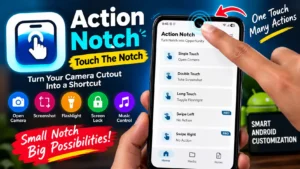
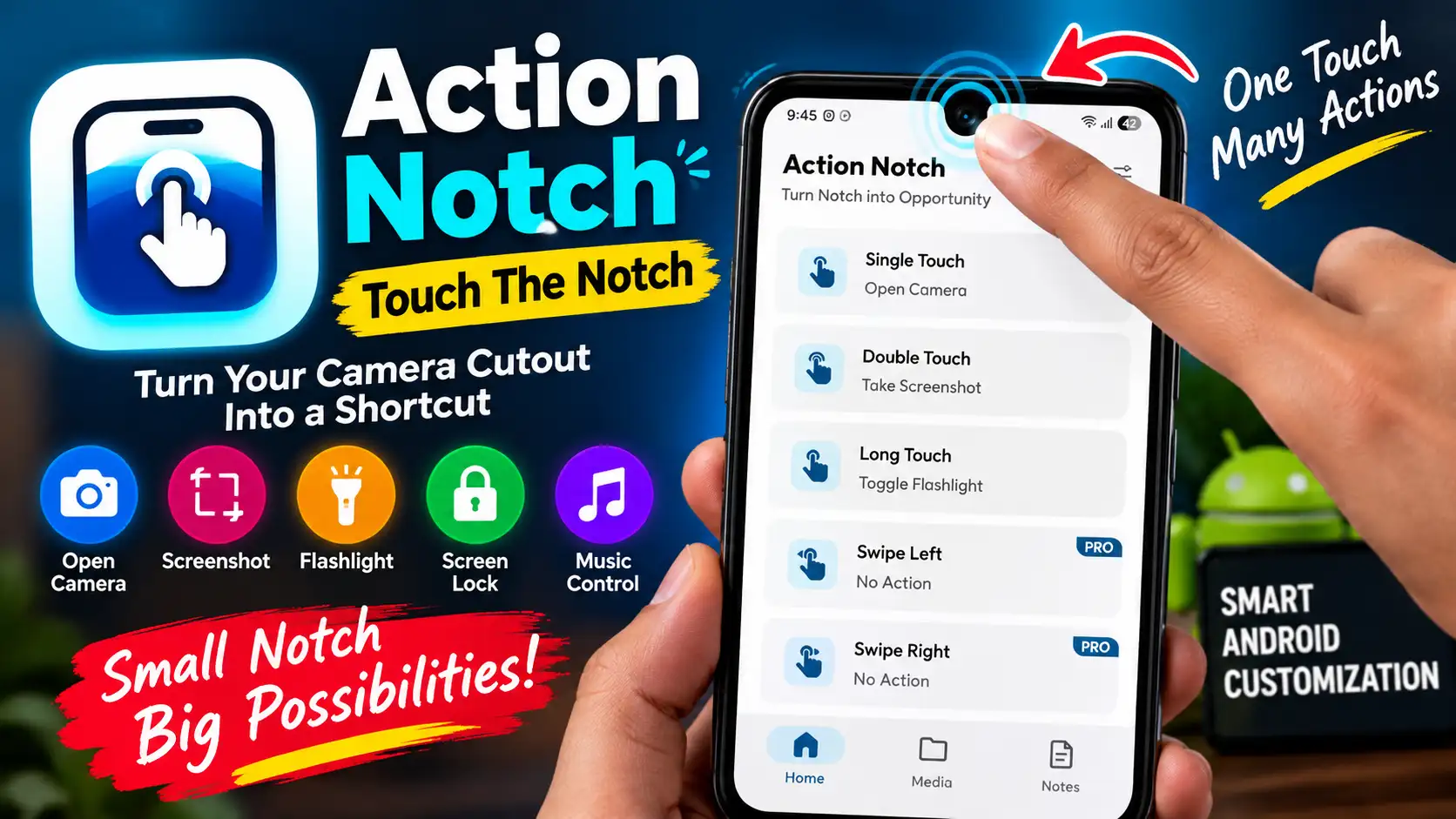
Action Notch: Touch The Notch takes a different approach by turning the area around the front camera cutout into a customizable shortcut zone. Instead of leaving the notch or punch-hole area unused, the app allows users to assign different actions to gestures such as tapping, double-tapping and long-pressing.
With the right configuration, you can use the camera area to access functions such as the flashlight, screenshot, camera, screen lock, music controls and selected applications.
The concept is particularly interesting for Android users who enjoy customizing their phones and want faster access to frequently used functions.
Android users who enjoy customizing their smartphones may also be interested in other useful Android tools. If you want to automate different tasks on your phone, our MacroDroid review explains how Android automation can make everyday actions easier.
What Is Action Notch: Touch The Notch?
Action Notch: Touch The Notch is an Android utility application developed by Androxus. Its main purpose is to make the area around your smartphone’s front camera cutout interactive.
Rather than changing the phone’s hardware, the application creates a software-based interactive area around the notch or punch-hole. Users can then assign different actions to various gestures.
For example, a single tap could be configured for one action, while a double tap or long press could perform another task.
This makes the app different from a conventional shortcut application because it uses an area of the screen that is normally occupied by the front camera.
How Does Action Notch Work?
The basic idea behind Action Notch: Touch The Notch is quite simple. The app uses Android’s software capabilities to detect interactions with a configured area around the camera cutout.
Depending on your device and the available settings, you can configure gestures and connect them to specific actions.
Some examples include:
- Single tap
- Double tap
- Long press
- Swipe gestures
- Screenshot
- Flashlight
- Camera
- Screen lock
- Favourite apps
- Music controls
- Recent apps
- Brightness controls
- Do Not Disturb
The app does not physically alter the camera hole or display. Everything is handled through software.
For additional information about how the notch shortcut system works, you can also refer to the developer’s official Action Notch information page.
Key Features of Action Notch: Touch The Notch
One of the main attractions of Action Notch: Touch The Notch is its collection of customizable shortcuts.
Screenshot Shortcut
You can assign a gesture to take a screenshot. This provides another way to capture the screen without relying on the traditional physical button combination.
Flashlight Access
The flashlight can also be assigned to a gesture. Instead of opening the Quick Settings panel, you can use the configured camera-area shortcut.
Camera Shortcut
The application can provide quick access to camera-related functions. This can be useful when you want to launch the camera without searching through your apps.
Screen Lock
Another convenient option is screen locking. Users can assign a gesture that turns the screen off or locks the device.
Smartphone security is another important area to consider when using Android utilities. If you want to explore another app designed to protect your phone from unwanted access, check out our Don’t Touch My Phone anti-theft app review.
Launch Favourite Apps
If you frequently use a particular application, you can configure the notch area as a shortcut for opening it.
For example, you could use it to launch your browser, calculator, messaging application or another frequently used app.
Music Controls
The app also provides music-related controls, allowing users to interact with media playback through configured shortcuts.
If you want to try the app on your Android smartphone, you can install it directly from Google Play.
Before installing, check the current Google Play listing for the latest compatibility, permissions, advertisements, in-app purchases and Data Safety information.
How to Set Up Action Notch on Android
Setting up Action Notch: Touch The Notch is generally straightforward.
Step 1: Install the App
Download the application from Google Play and launch it after installation.
Step 2: Complete the Initial Setup
Follow the instructions displayed by the application. You may be asked to provide certain permissions required for its functionality.
Step 3: Enable Required Accessibility Access
Some features use Android’s Accessibility Service. This allows the application to provide its interactive shortcut functionality around the camera cutout.
Because Accessibility Service is a powerful Android permission, read the permission information carefully before enabling it.
Step 4: Configure the Camera Area
Your phone may have a different camera position or screen layout from another Android device. Adjust the interactive area if the app provides positioning controls.
Step 5: Assign Gestures
Choose the gestures you want to use, such as single tap, double tap or long press.
Step 6: Select Actions
Assign an action to each gesture and test them on your phone.
Once configured correctly, the camera cutout area can become an additional shortcut location.
Is Action Notch Safe to Use?
Permissions are an important consideration when installing any Android application that uses Accessibility Service.
According to the developer’s information, the Accessibility Service is used to provide the interactive functionality around the front camera cutout. The Google Play listing also provides information about the application’s data practices.
However, users should always review the current Google Play permissions and Data Safety section before installing or enabling the app. Privacy disclosures and application permissions can change as an app receives updates.
It is also safer to download the application from Google Play rather than an unknown third-party APK website.
App permissions and online privacy are important considerations when using smartphone applications. For more practical tips on protecting your information while using apps and online services, read our guide on how to protect your personal data online.
Does Action Notch Work on Every Android Phone?
The experience may vary between devices.
Android smartphones use different display designs, camera positions, Android versions and manufacturer-specific software. Because of this, the interactive area may require adjustment on some phones.
A punch-hole camera positioned in the centre may provide a different experience from a camera cutout positioned toward one side.
Therefore, Action Notch: Touch The Notch should not be expected to behave identically on every Android smartphone.
Smartphone performance can also vary depending on the device, software and background processes. If your phone is experiencing unusual heat during everyday use, our guide on phone overheating causes and fixes covers some common reasons and solutions.
Action Notch vs Dynamic Island
It is easy to compare Action Notch: Touch The Notch with Apple’s Dynamic Island, but they are technically different.
Dynamic Island is integrated into supported iPhone hardware and software. Action Notch is an Android application that creates a software-based interaction area around an existing camera cutout.
The application does not physically transform a punch-hole camera into Apple’s Dynamic Island.
Instead, its main purpose is to provide customizable shortcuts using the space around the camera.
Advantages and Limitations
Advantages
- Makes the camera cutout more useful
- Provides customizable gestures
- Offers shortcuts for everyday functions
- Can launch selected applications
- Provides quick access to features such as flashlight and screenshots
- Does not require hardware modification
- Adds another customization option to Android phones
Limitations
- Some functionality requires Accessibility Service
- Compatibility can vary between devices
- The experience may depend on Android version
- Camera position can affect the interactive area
- It is not a true Dynamic Island replacement
- Certain features may depend on the current app version
Battery performance is another factor Android users often consider when installing applications that provide background functionality. If you are dealing with unexpected battery drain, our guide on the battery fast drain problem and its solutions explains several possible causes and troubleshooting steps.
Who Should Use Action Notch: Touch The Notch?
Action Notch: Touch The Notch may appeal to Android users who enjoy customizing their smartphones and want additional ways to access frequently used functions.
It can be particularly useful for people who regularly use the flashlight, screenshots, camera, music controls or selected applications.
On the other hand, users who prefer a completely standard Android interface may not need an additional shortcut system.
Android users who enjoy discovering useful applications can also explore other tools for their smartphones. Our guide to free AI apps for smartphones covers several AI-powered applications that can be useful for everyday tasks.
Final Verdict
Action Notch: Touch The Notch offers a creative way to make an otherwise ordinary camera cutout more useful. Instead of simply occupying space at the top of the display, the area around the front camera can become a convenient location for customizable shortcuts.
The ability to assign gestures to functions such as screenshots, flashlight, camera, screen lock, applications and music controls gives Android users another way to interact with their smartphones.
The app does not modify the phone’s hardware, and the actual experience can vary depending on the smartphone, Android version and camera-cutout design.
Before using it, users should also review the application’s current permissions and privacy information, particularly because some functionality relies on Android’s Accessibility Service.
Overall, Action Notch: Touch The Notch is an interesting Android customization tool for anyone who wants to experiment with turning their phone’s camera cutout into a useful shortcut area.