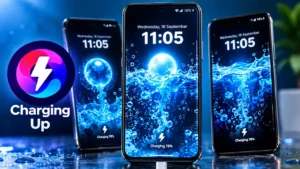
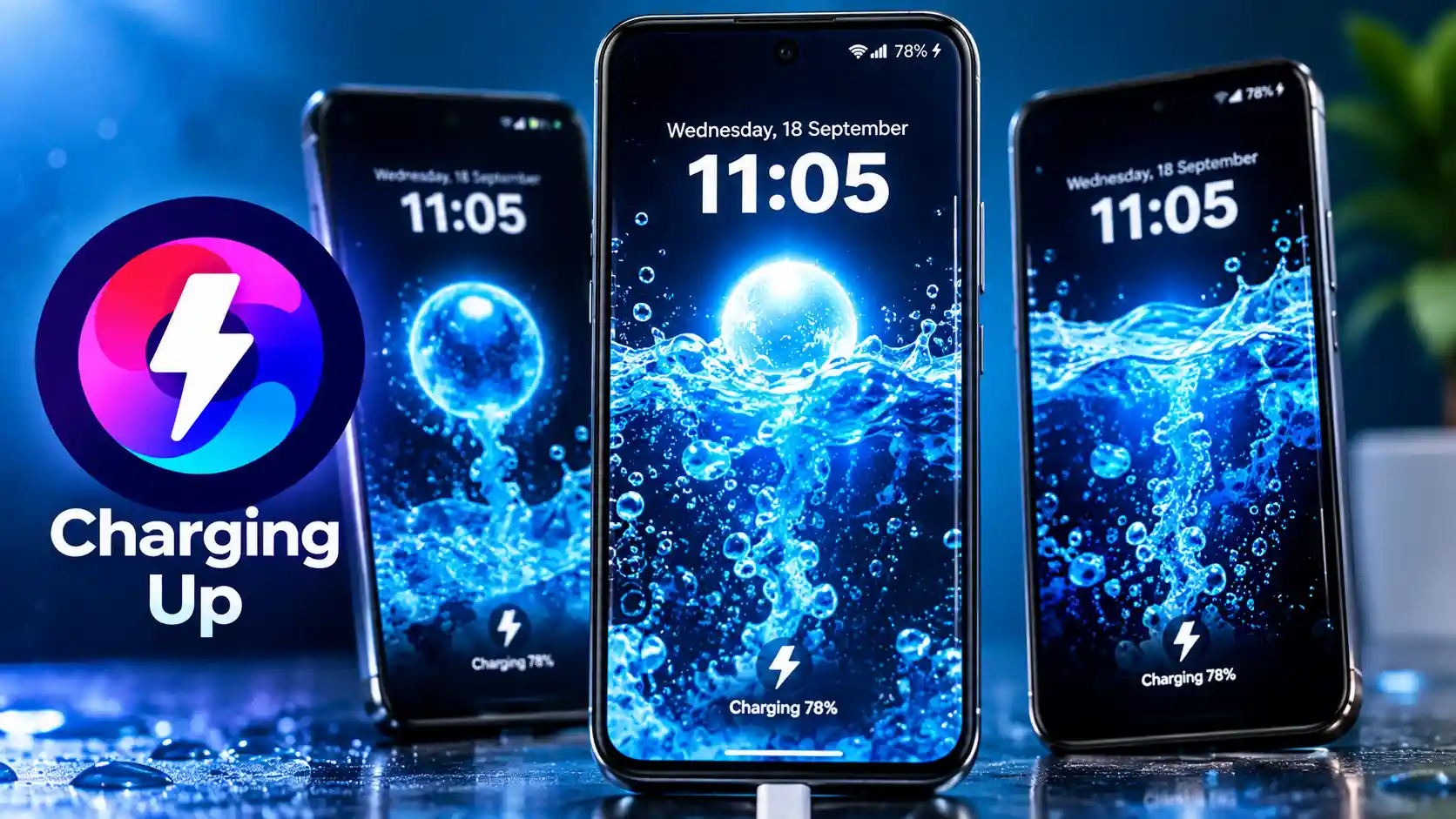
Charging your smartphone is something you probably do every day, but the charging screen itself can feel pretty ordinary. Most Android phones simply show a small charging indicator, battery percentage, or charging animation when you connect a charger. If you want something more colorful and personalized, Charging Animation Effects is an Android app designed to give your charging screen a completely different look.
The app provides a collection of charging animations, wallpapers, sounds, battery progress icons, and customization options. According to its Google Play Store listing, users can also upload their own photos or videos and create personalized charging animations.
So, what exactly can this app do, and is it worth trying? Let’s take a closer look.
What Is Charging Animation Effects?
Charging Animation Effects is a personalization app for Android phones that changes the visual experience when your device is connected to a charger.
Instead of seeing only the standard charging indicator, the app can display a dedicated charging animation on the screen. The available options include different animation styles, charging effects, progress icons, wallpapers, and charging sounds.
The Google Play Store currently lists the app under the name Charging Animation Effects, with Galaxy studio apps shown as the developer. The listing also shows ads and in-app purchases.
The app is mainly aimed at users who want to make their smartphone’s charging experience more interesting without changing the phone’s main system interface.
Charging Animation Effects is a personalization app that changes the visual experience when you connect your Android phone to a charger. It can display different charging animations, battery effects, wallpapers, and sounds. If your phone is having actual charging problems, you can also read our Phone Not Charging: Complete Troubleshooting Guide for practical solutions.
Charging Animation Effects offers customizable charging screens, including ready-made animations, personal photos and videos, charging sounds, progress icons, colors, and real-time battery percentage displays. The app’s official website also showcases these customization options and provides access to the app
How Does Charging Animation Effects Work?
The basic idea is simple.
After installing the app, you can select a charging animation from the available options and configure the settings according to your preference. Once everything is set up, the selected animation can appear when you connect your phone to a power source.
The app’s Play Store description says that the charging animation can automatically play when the phone is connected to power after the setup process is completed.
This makes it useful for people who enjoy customizing their Android phones.
For example, you could choose a colorful animation for everyday charging or use a personal photo or video to create a more customized experience.
Key Features of Charging Animation Effects
1. Different Charging Animations
The main attraction is, of course, the collection of charging animations.
The app provides different categories and styles, allowing users to select an animation that matches their personal taste. Some effects are colorful and bright, while others can provide a more simple visual experience.
If you frequently charge your phone at night or place it on a desk while charging, these animations can make the charging screen more visually interesting.
2. Create a Personalized Charging Animation
One of the more interesting features is the ability to use your own media.
According to the Google Play Store listing, users can upload photos or videos from their gallery and use them to create a personalized charging animation.
This means you aren’t necessarily limited to the animations included in the app.
For example, you could use a favorite photograph, a custom graphic, or a suitable short video as part of your charging screen customization.
3. Charging Sounds
The Charging Animation App also supports charging sounds.
Users can select suitable sounds to accompany the charging animation. This can make the charging experience feel more interactive, although users who prefer silent charging should consider turning sounds off.
4. Customizable Progress Icons
Another useful option is the ability to select different battery progress icons.
The Play Store listing says that users can choose from different charging progress icons and customize their colors.
This provides another way to make the charging display look different from the standard battery indicator on your phone.
5. Battery Percentage Indicator
The app can also display battery percentage information as part of the charging experience.
This can be convenient because you can see the battery level while the charging animation is displayed.
However, it is important to understand that a visual charging animation does not make the physical charging process faster. The actual charging speed still depends on your phone, charger, cable, battery, charging protocol, and other hardware and software factors.
Charging Animation Effects offers different customization options, including animations, charging sounds, battery progress icons, wallpapers, and personal photos or videos. If you are also experiencing battery-related issues, our Battery Fast Drain Problem Solution guide explains some common causes and possible fixes.
Install Charging Animation Effects on Android
If you want to try the app, you can install it directly from Google Play rather than downloading an APK from an unknown website.
How to Set Up a Charging Animation
Setting up the app is relatively straightforward.
Step 1: Install the App
Download Charging Animation Effects from Google Play and open the application.
Step 2: Browse the Available Animations
Explore the available charging animation categories. Select an effect that you like and preview it if the option is available.
Step 3: Customize the Charging Screen
Depending on the available options, you can customize elements such as the animation, progress icon, color, wallpaper, or sound.
Step 4: Use Your Own Photo or Video
If you want a more personal charging screen, select a photo or video from your gallery and use the app’s customization tools.
Step 5: Apply the Animation
Follow the instructions provided inside the app to enable the selected charging animation.
After completing the setup, connect your smartphone to its charger and check whether the selected animation appears.
Keep in mind that the exact behavior can vary depending on the Android version, phone manufacturer, permissions, and device-specific restrictions.
After choosing your preferred animation, you can customize the charging screen and apply the settings. If your phone becomes unusually warm while charging, it is also worth checking Phone Overheating Causes and Fixes to understand common reasons for excessive heat during charging.
Charging Screen Effects: What Makes Them Useful?
The biggest advantage of Charging Screen Effects is personalization.
Android phones from different manufacturers already offer their own charging indicators, but these can be relatively limited. A dedicated personalization app gives you more visual choices.
It can be particularly interesting for users who enjoy:
- Custom Android themes
- Animated wallpapers
- Battery customization
- Personalized lock screens
- Charging animations
- Charging sounds
- Colorful visual effects
It is not an essential utility app for charging your phone. Instead, it is primarily a personalization app designed to make charging look more interesting.
Does Charging Animation Effects Increase Charging Speed?
No.
This is an important point to understand.
Charging Animation Effects changes the visual experience on your phone. It does not increase the electrical power delivered to the battery.
Your actual charging speed depends on hardware and charging technology. For example, a phone that supports a particular fast-charging standard needs compatible charging hardware to achieve its supported charging speeds.
Therefore, you should not install a charging animation app expecting it to make your phone charge faster.
The app is mainly about visual customization, not battery performance.
Ads, In-App Purchases and Privacy
Before installing any Android application, it is a good idea to check the Google Play Store information.
The current Play Store listing for Charging Animation Effects states that the app contains ads and in-app purchases.
Google Play’s Data Safety section currently says the app may share device or other IDs with third parties, while the developer declares that no data is collected. Google also notes that data-safety information is provided by developers and can change over time.
The app listing currently shows the developer as Galaxy studio apps, while the developer information identifies Alvva Inc.
Because app permissions, privacy disclosures, pricing, and features can change, users should check the latest Play Store information before installing or purchasing anything.
Before installing a personalization app, it is always a good idea to review the permissions and privacy information provided by the developer. If you want to learn more about protecting your Android phone from unwanted access, Don’t Touch My Phone Anti Theft App Review covers another type of Android security application and how its protection features work.
Is Charging Animation Effects Worth Trying?
If your main goal is to make your Android phone’s charging screen more attractive, Charging Animation Effects offers several customization options worth exploring.
The app supports different animations, charging sounds, progress icons, wallpapers, and personalized content. The ability to use your own photos or videos also gives users more flexibility than simply choosing from a fixed collection.
On the other hand, users looking for improved battery health or faster charging should not expect those benefits from the app. Its purpose is primarily visual customization.
It is also worth checking the advertisements and in-app purchase information before spending money inside the application.
Final Thoughts
Charging Animation Effects is an Android personalization app designed to make the charging experience more visually appealing. Instead of relying only on your phone’s default charging indicator, you can experiment with animations, wallpapers, sounds, progress icons, colors, and even your own photos or videos.
The app is particularly suitable for Android users who enjoy customizing their devices and want something different to appear when they connect their phone to a charger.
The Google Play Store currently lists Charging Animation Effects with 100K+ downloads, a 4.6-star rating, ads, and in-app purchases.
Most importantly, remember that the app is about customization rather than faster charging. It can change how charging looks on your screen, but your actual charging speed is determined by your phone and charging hardware.
If you enjoy personalized Android experiences, this Charging Animation Android app can be an interesting one to try.