WhatsApp Account Banned is one of the most frustrating issues users can experience. Whether your account has been temporarily restricted or permanently banned, understanding the official recovery process is essential. While many websites promise instant unbanning methods, the safest and most reliable approach is to follow WhatsApp’s official guidance and submit a review if your account is eligible.
Seeing the message “This account can no longer use WhatsApp” can be frustrating, especially if you rely on WhatsApp for personal conversations, work, or business. Many users immediately search for shortcuts, “unban tools,” or paid recovery services, but most of these solutions are either ineffective or scams.
The good news is that not every WhatsApp ban is permanent. In some cases, the restriction is temporary and is automatically removed after a specific period. If your account was banned by mistake, WhatsApp also provides an official review process that allows you to request another evaluation of your account.
This guide explains why WhatsApp bans accounts, the different types of bans you may encounter, and the official steps you should follow to improve your chances of restoring access. Every recommendation in this article is based on WhatsApp’s official guidance and verified information rather than rumors or unofficial tricks.
Quick Answer
If your WhatsApp account has been banned:
- Determine whether the ban is temporary or permanent.
- Stop using any unofficial WhatsApp applications immediately.
- Use the Request a Review option inside the official WhatsApp app if it is available.
- Wait for WhatsApp’s review before attempting further action.
- Avoid paying anyone who claims they can remove the ban.
- Follow WhatsApp’s Terms of Service to reduce the risk of future bans.
Never share your verification code or pay anyone claiming they can recover your banned account. Only WhatsApp can review and restore an account.
Following these official steps can improve your chances of recovering a WhatsApp Account Banned issue safely.
What Does a WhatsApp Account Ban Mean?
A WhatsApp ban means the platform has restricted your phone number from using its messaging service because its automated systems or review process detected activity that may violate WhatsApp’s Terms of Service.
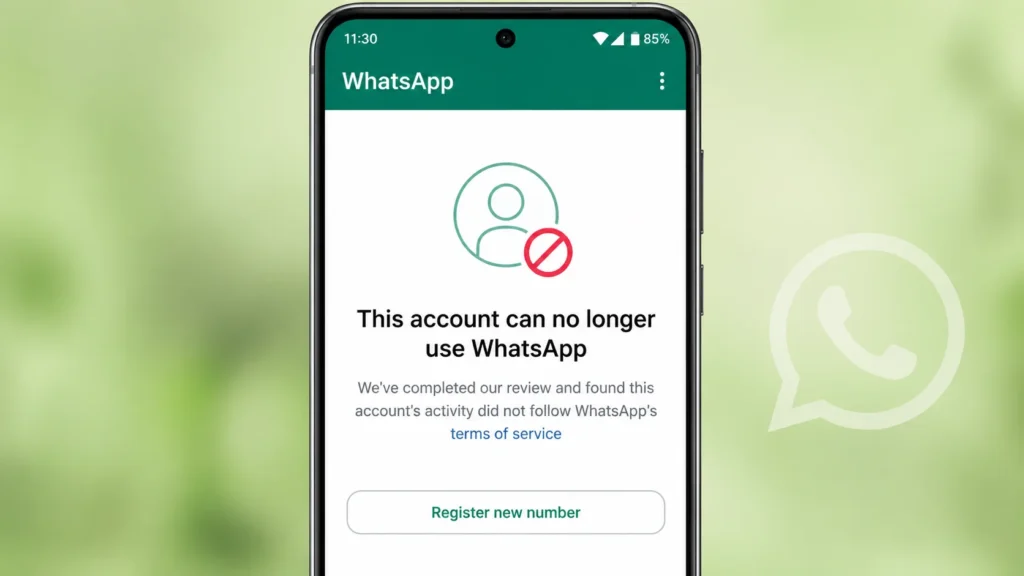
When an account is banned, you may see messages such as:
- This account is not allowed to use WhatsApp
- This account can no longer use WhatsApp
- Your account was banned
The exact message depends on the type of restriction and your version of WhatsApp.
A ban does not necessarily mean you intentionally violated WhatsApp’s rules. Automated systems can sometimes flag unusual activity for review, and WhatsApp allows eligible users to request a review if they believe the decision was incorrect.
Understanding why a WhatsApp Account Banned message appears is the first step toward finding the correct solution.
Types of WhatsApp Account Bans
Understanding the type of ban helps you know what to do next.
1. Temporary Ban
A temporary ban usually displays a countdown timer inside the app.
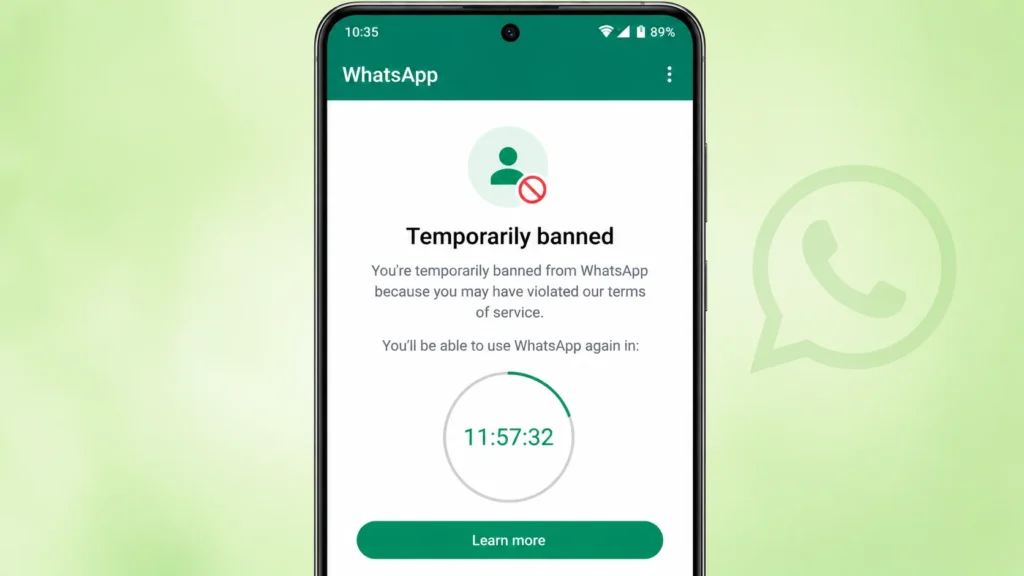
This commonly happens when users:
- Use modified versions such as GB WhatsApp or WhatsApp Plus
- Use unsupported automation tools
- Trigger unusual account activity
In many situations, the account becomes available again after the timer expires, provided the user switches back to the official WhatsApp application if required.
2. Permanent Ban
A permanent ban is more serious.
Instead of a timer, you’ll usually see a message indicating that your account is no longer allowed to use WhatsApp.
Depending on your situation, WhatsApp may provide a Request a Review button so you can appeal the decision. If the review confirms that the account violated WhatsApp’s policies, the ban may remain in place.
3. Spam-Related Ban
WhatsApp actively works to reduce spam and abusive behavior.
Accounts may be flagged if they repeatedly:
- Send unsolicited messages
- Message large numbers of unknown contacts
- Receive frequent reports from other users
- Behave like automated messaging systems
Not every report results in a ban, but repeated suspicious activity increases the likelihood of enforcement.
4. Ban for Using Unofficial Apps
Many users install modified versions such as:
- GB WhatsApp
- WhatsApp Plus
- FM WhatsApp
- Other unofficial WhatsApp modifications
These apps are not developed or supported by WhatsApp.
Besides increasing security and privacy risks, they may also lead to temporary or permanent restrictions because they violate WhatsApp’s policies. WhatsApp recommends using only the official application downloaded from trusted app stores.
Identifying the type of WhatsApp Account Banned issue helps you choose the right recovery method.
| Ban Type | Recovery Possible? | What You Should Do |
|---|---|---|
| Temporary Ban | Usually Yes | Wait for the timer to expire and use the official WhatsApp app. |
| Permanent Ban | Depends | Submit a review request if available and wait for WhatsApp’s decision. |
| Spam-Related Ban | Sometimes | Stop spam-like activity and follow WhatsApp’s policies. |
| Unofficial App Ban | Often | Switch to the official WhatsApp app immediately. |
Why Does WhatsApp Ban Accounts?
WhatsApp’s primary goal is to keep the platform safe for billions of users.
Instead of banning accounts without reason, the company uses automated detection systems along with policy enforcement to identify behavior that could harm other users.
Some common reasons include the following.
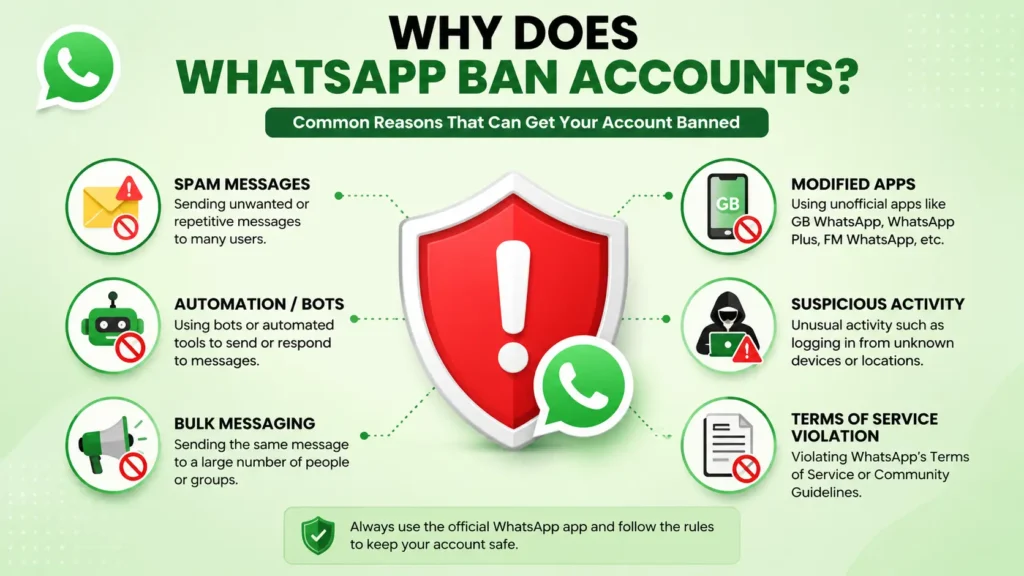
Sending Spam Messages
Repeatedly sending the same message to many people can appear similar to spam.
Examples include:
- Promotional broadcasts
- Bulk marketing messages
- Unwanted advertisements
- Repeated links
If recipients report these messages, WhatsApp may investigate the account.
Sending bulk or repetitive messages can increase the chances of a WhatsApp Account Banned issue. Before relying on online tools that promise to automate messaging, understand how to verify trustworthy online resources by reading our How to Detect AI-Generated Content guide.
Using Modified WhatsApp Applications
Unofficial versions often include features unavailable in the official app.
However, these applications operate outside WhatsApp’s supported ecosystem and may compromise user privacy or violate platform rules.
For this reason, WhatsApp advises users to uninstall unofficial apps and install the official version before attempting to regain access.
Automated or Suspicious Activity
Accounts that appear to be controlled by software rather than a real person may be restricted.
Examples include:
- Automated messaging tools
- Bots sending messages without permission
- Mass contact scraping
- Artificial account behavior
Such activity may trigger WhatsApp’s security systems even before many user reports are received.
Violating WhatsApp's Terms of Service
WhatsApp prohibits activities such as:
- Fraud
- Scams
- Impersonation
- Harassment
- Illegal activities
- Abusive behavior
Serious or repeated violations can result in stronger enforcement actions, including permanent account restrictions.
Multiple User Reports
When many users report an account for unwanted or abusive behavior, WhatsApp may review the account more closely.
A report alone does not automatically lead to a permanent ban, but repeated complaints combined with suspicious activity can influence enforcement decisions.
Avoiding policy violations can significantly reduce the risk of a WhatsApp Account Banned issue.
To understand the reasons behind account restrictions and the activities that may violate WhatsApp’s policies, review the official WhatsApp Terms of Service.
How to Identify Whether Your WhatsApp Ban Is Temporary or Permanent
Before attempting to recover your account, determine the type of restriction. The message displayed in the app usually provides the answer.
Temporary Ban
A temporary ban generally includes a countdown timer. You might see a message indicating that your account is temporarily restricted, along with the remaining time.
Common reasons include:
- Using an unofficial version of WhatsApp
- Triggering automated security checks
- Activity that appears unusual but may not warrant a permanent ban
In most cases, you should wait for the timer to expire and use only the official WhatsApp app afterward.
Permanent Ban
A permanent ban typically displays messages such as:
- This account can no longer use WhatsApp
- This account is not allowed to use WhatsApp
If you see a Request a Review button, WhatsApp allows you to submit an appeal. This does not guarantee that the account will be restored, but it is the official method for requesting another review.
Correctly identifying your WhatsApp Account Banned status helps you choose the most appropriate recovery process.
Important
There is no guaranteed method to remove a WhatsApp ban. Account recovery depends entirely on WhatsApp’s review and whether the account complies with WhatsApp’s Terms of Service. Avoid websites or individuals that promise guaranteed account recovery.
Can a Banned WhatsApp Account Be Recovered?
Many users immediately assume that a banned WhatsApp account cannot be recovered. However, that is not always true. Whether your WhatsApp Account Banned issue can be resolved depends on the type of restriction applied to your account and the reason behind it.
If your account has been temporarily banned, recovery is usually possible once the countdown timer expires and you switch back to the official WhatsApp application if you were using a modified version.
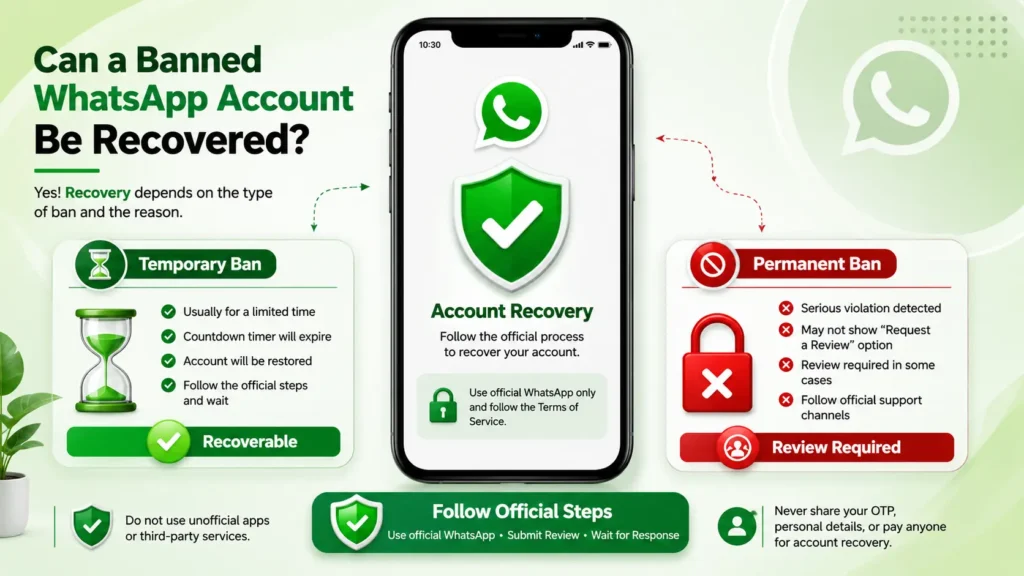
If your account has been permanently banned, you should first check whether the Request a Review option is available. If it is, submit your appeal through the official WhatsApp app and wait for the review outcome. If the button does not appear, you can contact WhatsApp Support using its official help channels and provide your account details for further assistance.
It’s important to understand that not every permanently banned account can be restored. If WhatsApp determines that your account seriously violated its Terms of Service, the restriction may remain permanent.
Important: Never pay third-party websites, apps, or individuals who claim they can recover or unban your WhatsApp account. WhatsApp does not authorize any paid account recovery service, and using such services may expose your personal information or lead to scams.
The safest and most effective way to recover a WhatsApp Account Banned issue is to follow WhatsApp’s official recovery process, use only the official WhatsApp application, and comply with the platform’s Terms of Service.
Now that you understand when a banned WhatsApp account can be recovered, let’s look at the official step-by-step recovery process recommended by WhatsApp.
How to Fix a WhatsApp Account Banned Issue
Recovery depends on the reason for the ban. Follow these steps in order instead of trying multiple unofficial methods.
Step 1: Stop Using Unofficial WhatsApp Apps
If you’re using apps such as:
- GB WhatsApp
- WhatsApp Plus
- FM WhatsApp
- YoWhatsApp
- Any other modified version
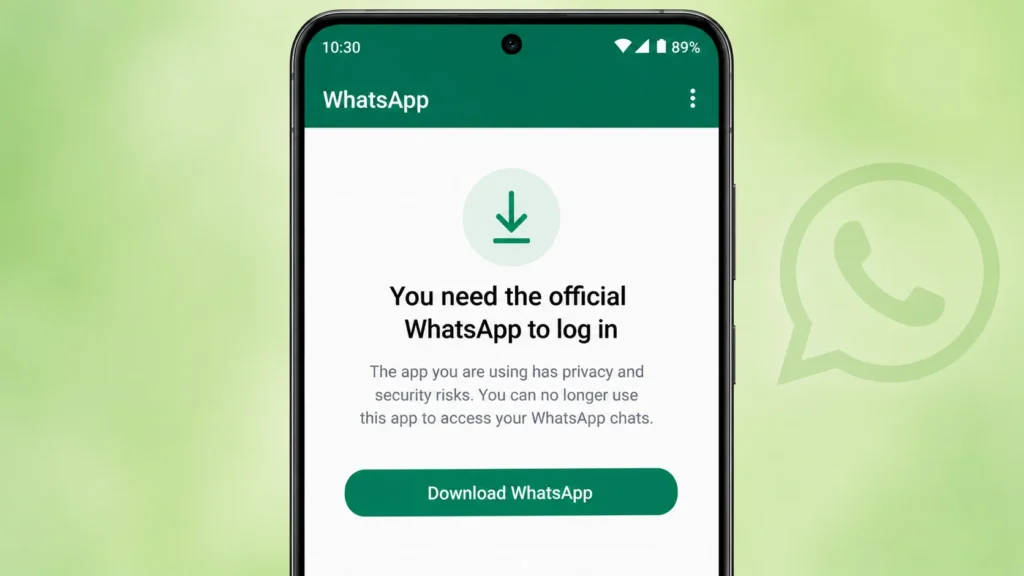
Uninstall it immediately.
Modified apps are not supported by WhatsApp and may violate its Terms of Service. Continuing to use them can make it more difficult to regain access.
After uninstalling:
- Download the official WhatsApp application from the Google Play Store or Apple App Store.
- Verify your phone number.
- Check whether the account restriction remains.
Always download the official application from trusted sources. Visit the WhatsApp Download Page to install the latest supported version for your device.
If you’re recovering from a WhatsApp Account Banned issue, make sure you’re installing WhatsApp only from trusted sources and avoiding modified apps. Following basic account security practices from our Protect Your Google Account guide can also help protect your online accounts.
Step 2: Update to the Latest Official Version
Running an outdated version of the official app can sometimes create verification or compatibility issues.
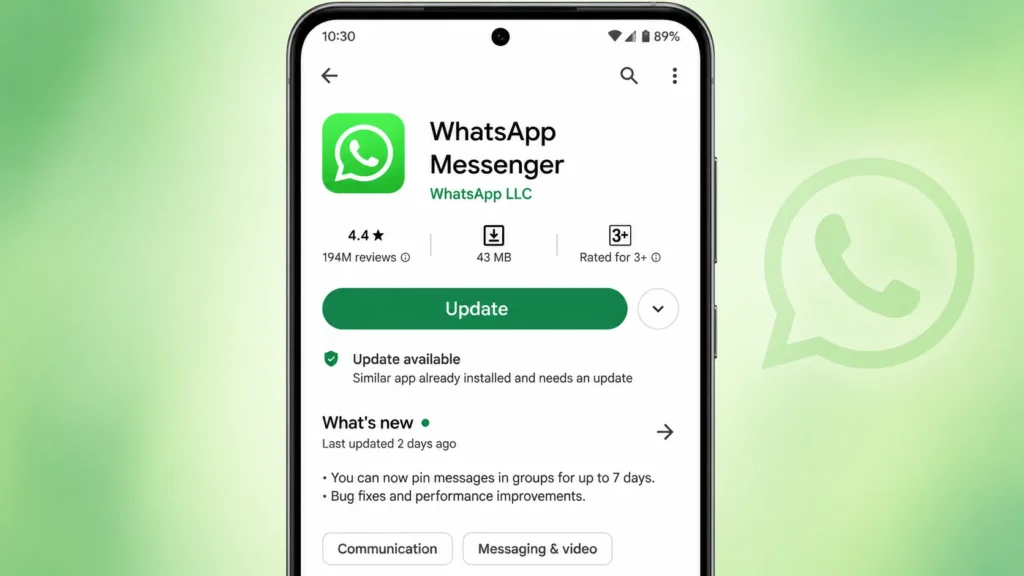
Before requesting a review:
- Update WhatsApp to the latest available version.
- Restart your phone.
- Open the app again.
This ensures that you are using the latest security features and the current review system.
Even after fixing a WhatsApp Account Banned issue, WhatsApp may occasionally get stuck on the connecting screen because of network or app-related problems. If that happens, check our WhatsApp Connecting Problem guide for additional solutions.
Step 3: Use the "Request a Review" Option
If WhatsApp determines that your account may be eligible for review, you’ll see a Request a Review button inside the app.
If your account is eligible for review, WhatsApp will display the “Request a Review” option inside the app.
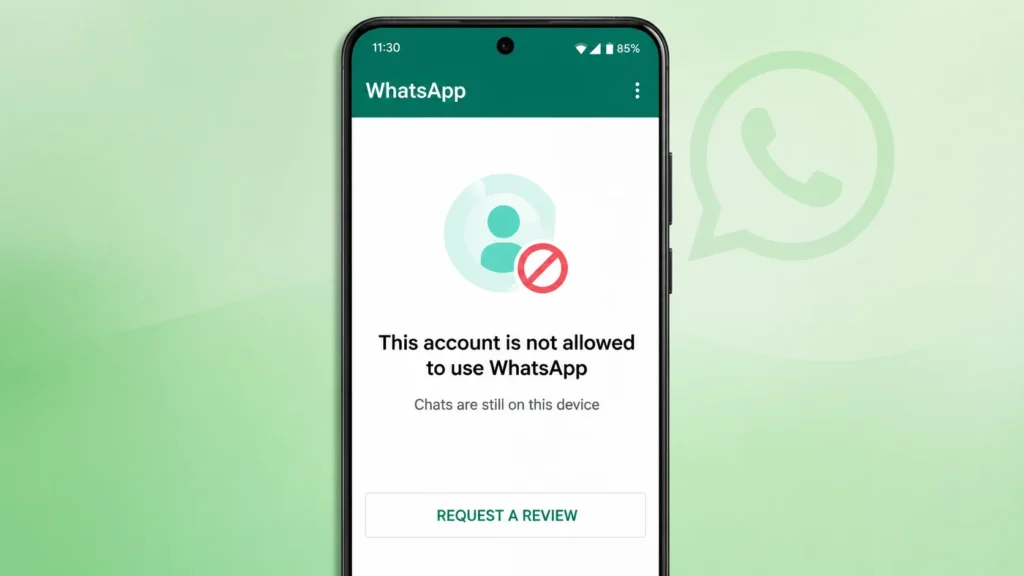
When submitting your request:
- Explain the situation honestly.
- Keep your message short and clear.
- Avoid emotional language or repeated submissions.
- Mention if you believe the account was banned by mistake.
A simple explanation is usually sufficient. For example:
“I believe my account was restricted by mistake. I use WhatsApp for personal communication and request that my account be reviewed. Thank you.”
After submitting the request, wait for WhatsApp to complete the review. Sending multiple appeals does not speed up the process.
Before submitting your appeal, it’s helpful to read the official WhatsApp Help Center for the latest guidance on account reviews and recovery procedures.
Step 4: Wait for WhatsApp's Decision
Once your appeal has been submitted:
- Do not repeatedly uninstall and reinstall the app.
- Avoid changing your phone number.
- Do not submit multiple review requests within a short period.
- Wait for WhatsApp’s response.
Review times vary depending on the circumstances. Some users receive a response within a few hours, while others may need to wait longer.
Step 5: Check Your Email and Notifications
If WhatsApp completes its review, you may receive:
- A notification inside the app
- An email if one is associated with your request
Possible outcomes include:
- The account is restored.
- The original decision is upheld.
- Additional verification may be required.
Always rely on official communication from WhatsApp rather than third-party websites claiming to know your review status.
Following the official recovery steps gives you the best chance of resolving a WhatsApp Account Banned issue.
After your WhatsApp Account Banned issue is resolved, make sure your account is working normally. If you can open WhatsApp but messages are still not being delivered or received, follow our WhatsApp Not Sending Messages guide to troubleshoot the problem.
What If There Is No "Request a Review" Button?
Some permanently banned accounts may not display the review option.
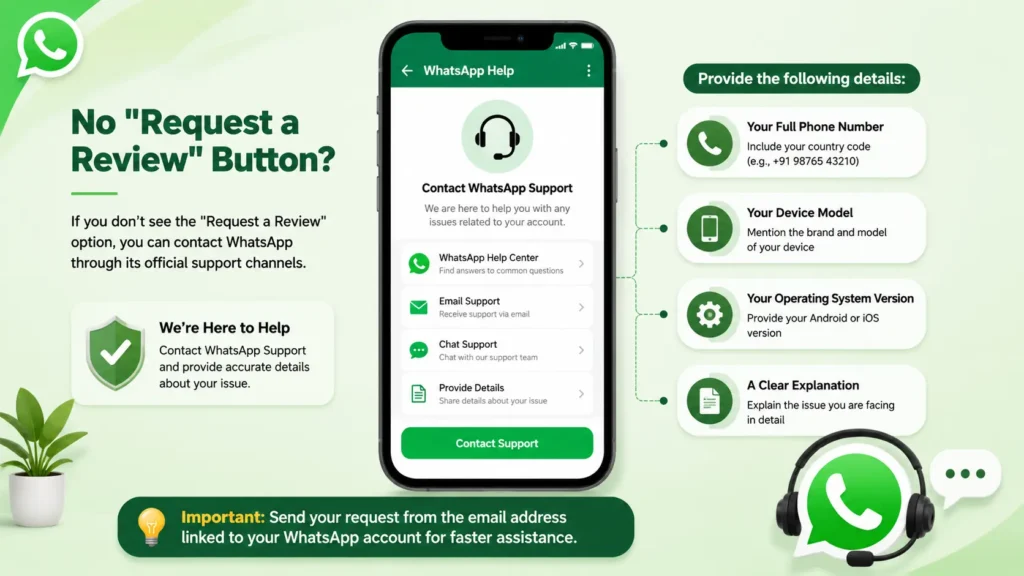
In that situation, you can contact WhatsApp through its official support channels by providing:
- Your full phone number (including country code)
- Your device model
- Your operating system version
- A clear explanation of the issue
Do not send multiple identical requests from different email addresses, as this generally does not improve your chances of receiving a different outcome.
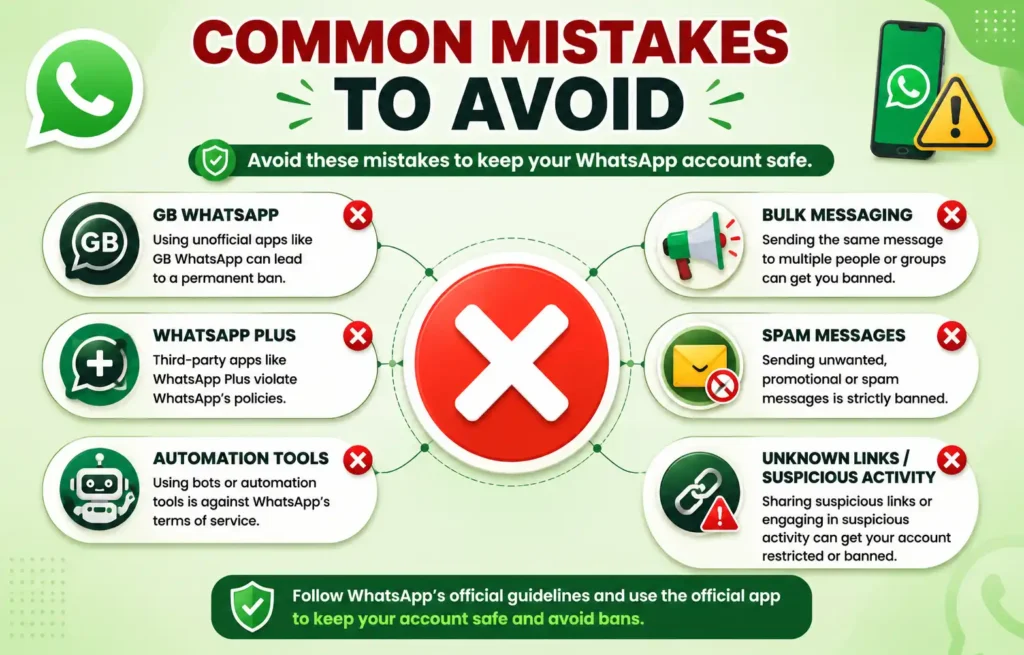
Mistakes That Can Delay or Prevent Account Recovery
Many users make the situation worse by following unreliable advice found online.
Avoid these common mistakes.
1. Paying Someone to "Remove" the Ban
Many websites and social media accounts claim they can unban WhatsApp accounts for a fee.
There is no official service that allows third parties to remove WhatsApp bans.
If someone promises guaranteed recovery after payment, treat it as a potential scam.
2. Using Fake Unban Tools
Some websites offer:
- Ban remover software
- WhatsApp unlock tools
- Premium recovery applications
These tools are not approved by WhatsApp and may expose your device to malware or steal personal information.
3. Repeatedly Creating New Accounts
Creating multiple new accounts using different phone numbers to bypass enforcement can trigger additional restrictions.
If your original account is under review, allow the official process to finish first.
4. Sending Multiple Appeals Every Few Minutes
Submitting repeated requests does not speed up the review process.
Instead, it may create unnecessary duplicate requests.
One clear and accurate appeal is generally the best approach.
5. Continuing to Use Modified Apps
Even after a temporary restriction ends, returning to unofficial WhatsApp apps can result in another ban.
Switch permanently to the official application.
6.Ignoring the Official Review Process
Some users immediately buy a new SIM card instead of submitting an official review request. If your account was restricted by mistake, skipping the review process may cause you to lose the opportunity to recover your original account.
Avoiding these mistakes can improve your chances of recovering a WhatsApp Account Banned issue successfully.
Many users facing a WhatsApp Account Banned issue accidentally share their verification code or personal information on fake websites. Before entering sensitive details, learn how to identify fake websites and avoid online scams.
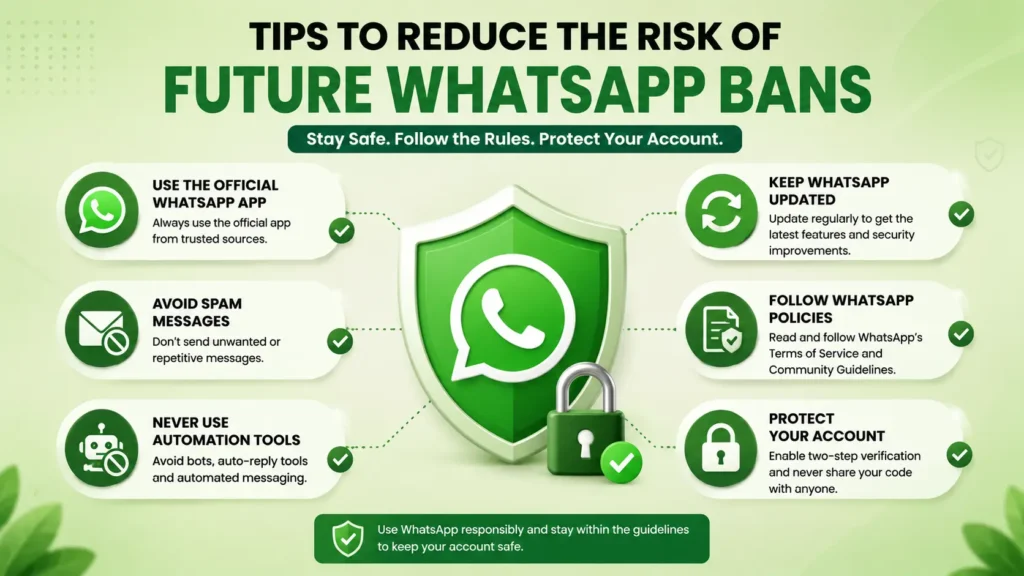
Tips to Reduce the Risk of Future WhatsApp Bans
Although no one can guarantee that an account will never be flagged, following good practices significantly reduces the risk.
Download WhatsApp Only from Official Sources
Install WhatsApp only from:
- Google Play Store
- Apple App Store
- WhatsApp’s official website (where applicable)
Avoid downloading APK files from unknown websites.
Send Messages Responsibly
Avoid:
- Mass messaging strangers
- Sending repeated promotional content
- Forwarding misleading information
- Flooding groups with identical messages
Natural communication patterns are less likely to trigger automated security systems.
Respect Other Users
If many recipients block or report your account, WhatsApp may review your activity.
Communicate only with people who expect your messages.
Enable Two-Step Verification
Although two-step verification does not prevent bans, it helps protect your account from unauthorized access.
A secure account is less likely to be misused by someone else.
Enabling two-step verification is one of the best ways to secure your WhatsApp Account Banned recovery and protect your linked Google account from unauthorized access. Follow our Google Two-Step Verification Guide for step-by-step instructions.
Review WhatsApp's Policies Periodically
WhatsApp updates its policies and enforcement methods over time.
Occasionally reviewing the latest Terms of Service and Help Center articles helps you stay informed about acceptable use.
These best practices can help you avoid another WhatsApp Account Banned issue in the future.
For the latest security recommendations and official best practices, visit the WhatsApp Safety Center to learn how to keep your account safe and avoid policy violations.
Common Myths About WhatsApp Bans
Myth: A VPN Causes WhatsApp Bans
There is no official statement that simply using a VPN automatically results in a WhatsApp ban.
However, suspicious behavior combined with other policy violations may trigger security reviews.
Myth: Buying an "Unban Service" Always Works
False.
Only WhatsApp can review and reverse an account restriction.
No third party has special access to remove bans.
Myth: Creating a New Number Restores Old Chats
Not necessarily.
A different phone number creates a different WhatsApp account. Unless you’ve previously backed up your chats and meet WhatsApp’s restoration requirements, your old chat history may not be recoverable.
Many websites publish misleading recovery methods for a WhatsApp Account Banned issue. Learning how unreliable AI-generated information can spread online will help you avoid false advice. Read our What Is AI Hallucination? guide.
Frequently Asked Questions (FAQ)
1. Can a permanently banned WhatsApp account be recovered?
It depends on the reason for the ban. If WhatsApp believes the account was restricted in error, it may restore access after reviewing your appeal. However, if the review confirms that the account seriously violated WhatsApp’s Terms of Service, the ban is likely to remain in place.
2. How long does WhatsApp take to review a banned account?
There is no fixed review timeline. Some users receive a response within a few hours, while others may wait several days. The review time depends on the complexity of the case and the number of requests WhatsApp is handling.
3. Will reinstalling WhatsApp remove a ban?
No. Reinstalling the app does not remove an account ban. If your phone number has been restricted, the ban remains even after uninstalling and reinstalling WhatsApp.
4. Is GB WhatsApp safe to use?
GB WhatsApp and other modified versions are not official WhatsApp applications. They are not supported by WhatsApp and may increase security, privacy, and account restriction risks. Using the official WhatsApp app is the safest choice.
5. Can I create another WhatsApp account using the same phone number?
If your phone number is permanently banned, you generally cannot continue using that number on WhatsApp unless the restriction is removed through WhatsApp’s official review process.
6. Can I recover my chats after my account is restored?
If your account is successfully restored and you have a compatible backup in Google Drive or iCloud, you may be able to restore your chat history during setup. Recovery depends on the availability of the backup and WhatsApp’s restoration requirements.
If your chat backup cannot be restored after a WhatsApp Account Banned issue, the problem may not be related to the ban itself. Follow our WhatsApp Backup Not Working guide to troubleshoot common backup and restore issues.
7. Does using WhatsApp Business prevent bans?
No. WhatsApp Business accounts must also follow WhatsApp’s Terms of Service and Business Messaging policies. Violating these rules can still result in account restrictions.
8. Can third-party websites remove a WhatsApp ban?
No. Only WhatsApp can review and reverse an account ban. Avoid websites or individuals claiming guaranteed recovery for a fee, as they are not officially authorized to remove bans.
9.Can WhatsApp ban an account by mistake?
Explain that automated systems can occasionally flag legitimate activity, and eligible users can request a review.
10.Will changing my phone fix the ban?
Explain that bans are generally linked to the phone number, not the device itself.
If your WhatsApp Account Banned issue continues, always rely on WhatsApp’s official support and review process instead of unofficial recovery methods.
After recovering from a WhatsApp Account Banned issue, some users may find that their messages are not being delivered properly. If you experience this problem, follow our WhatsApp Not Sending Messages guide for step-by-step troubleshooting.
Final Verdict
A WhatsApp account ban can be disruptive, but the best response is to follow the official recovery process rather than relying on shortcuts or unofficial services.
Start by identifying whether your account has been temporarily or permanently restricted. If the Request a Review option is available, submit a clear and honest appeal, then wait for WhatsApp to complete its review. If you’re using an unofficial version of WhatsApp, uninstall it immediately and switch to the official app before requesting assistance.
To reduce the likelihood of future restrictions, avoid spam-like messaging, respect WhatsApp’s Terms of Service, communicate responsibly, and keep your app updated from trusted sources. These practices not only protect your account but also contribute to a safer messaging experience for everyone.
Following official guidance gives you the best chance of recovering access when appropriate and helps ensure your account remains in good standing over the long term.
By following WhatsApp’s official guidance, you can reduce the chances of facing a WhatsApp Account Banned issue again.
Recovering from a WhatsApp Account Banned issue is only part of maintaining your online security. Strengthening your Google account with modern authentication methods can further improve your overall digital safety. Read our Google Passkeys vs Passwords guide to learn more.